What Is Intrusion Prevention System (IPS)? Definition and Types
Understand how IPS works, where it is placed in a network, which attacks it can prevent, and how it differs from IDS.
In This Lesson
Understand how an intrusion prevention system inspects traffic and blocks suspected attacks inline. Placement, detection methods, tuning, and comparison with IDS and firewalls clarify its role.
Quick Learning Map
Keep this three-step view in mind as you work through the detailed lesson.
Place it deliberately
Choose an inline point with the visibility, capacity, and resilience required.
Detect and decide
Use signatures, behavior, protocol analysis, and context to classify traffic.
Tune and respond
Validate blocks, control false positives, update intelligence, and investigate events.
What Is Intrusion Prevention System (IPS)? Definition and Types at a Glance
Use this summary before moving into the detailed explanations, examples, commands, and checks.
Core focus
Understand how an intrusion prevention system inspects traffic and blocks suspected attacks inline.
Key connection
Place it deliberately → Detect and decide → Tune and respond
Practical outcome
Placement, detection methods, tuning, and comparison with IDS and firewalls clarify its role.
Intrusion Prevention System Definition
An Intrusion Prevention System, or IPS, is a security technology that continuously inspects traffic, looks for malicious behavior, and takes action before the attack reaches its target. You can think of IPS as a prevention-focused security control: it does not only alert the team, it can drop traffic, reset sessions, quarantine a source, or block a signature when policy says the traffic is dangerous.
IPS is often discussed together with intrusion detection because many products support both detection and prevention. In practice, IPS becomes more powerful when it is integrated with firewalls, endpoint protection, malware scanning, threat intelligence, and centralized logging.
Why IPS Is Important
Modern networks receive a constant mix of normal traffic, scanning attempts, exploit attempts, malformed packets, encrypted sessions, botnet activity, and insider misuse. A traditional firewall can allow or deny traffic based on policy, but IPS adds deeper inspection for known exploits, suspicious packet patterns, and abnormal behavior.
IPS can stop suspicious sessions while traffic is still in transit.
IPS signatures help block attempts against known vulnerabilities.
IPS logs help teams find weak firewall rules, exposed services, and recurring attack sources.
Where IPS Is Placed in the Network
An IPS is usually deployed inline, meaning traffic must pass through it before reaching the destination. That placement allows the IPS to inspect packets and apply prevention actions immediately.
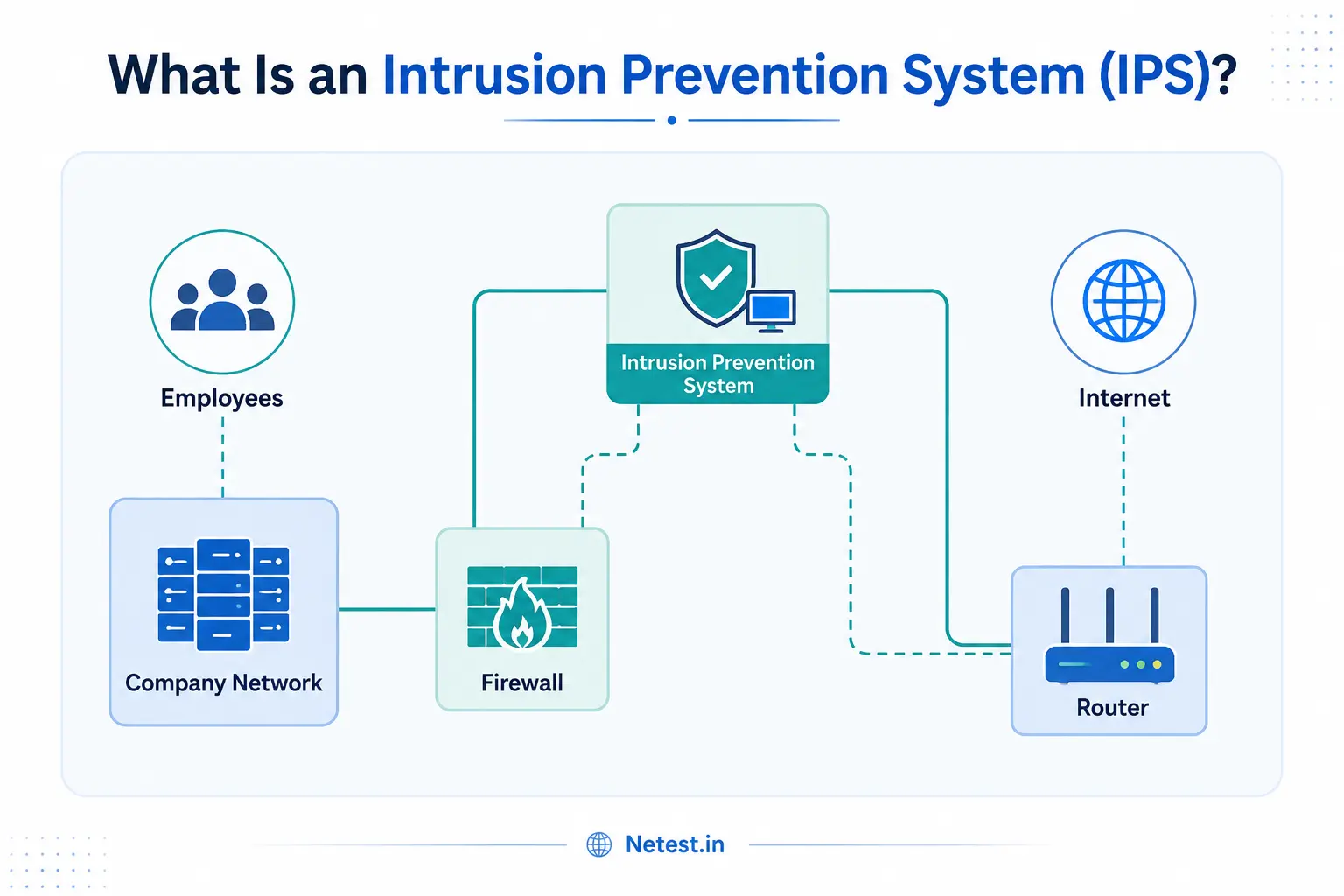
Common IPS placement options include the internet edge, data-center perimeter, segmentation boundary between user and server VLANs, branch edge, and inside a next-generation firewall. The correct placement depends on what you need to protect and where traffic naturally flows.
How IPS Works
IPS engines inspect traffic using a combination of signatures, protocol decoders, reputation feeds, anomaly detection, and policy rules. When a match occurs, the IPS chooses an action based on severity and configuration.
| Method | How it works | Best use |
|---|---|---|
| Signature-based detection | Compares traffic to known exploit or vulnerability signatures. | Blocking known attacks quickly and consistently. |
| Anomaly-based detection | Compares traffic patterns against expected baselines and flags unusual behavior. | Finding unusual flows, spikes, and possible unknown activity. |
| Policy-based action | Applies rules such as alert, drop, reset, block source, or quarantine host. | Turning detection into controlled prevention. |
Many IPS platforms also provide virtual patching. Virtual patching means the IPS blocks exploit traffic for a vulnerability even before the affected server or application is fully patched. It is not a replacement for patch management, but it reduces exposure during the patching window.
Types of Intrusion Prevention Systems
There are several IPS types. Each one protects a different layer or part of the environment.
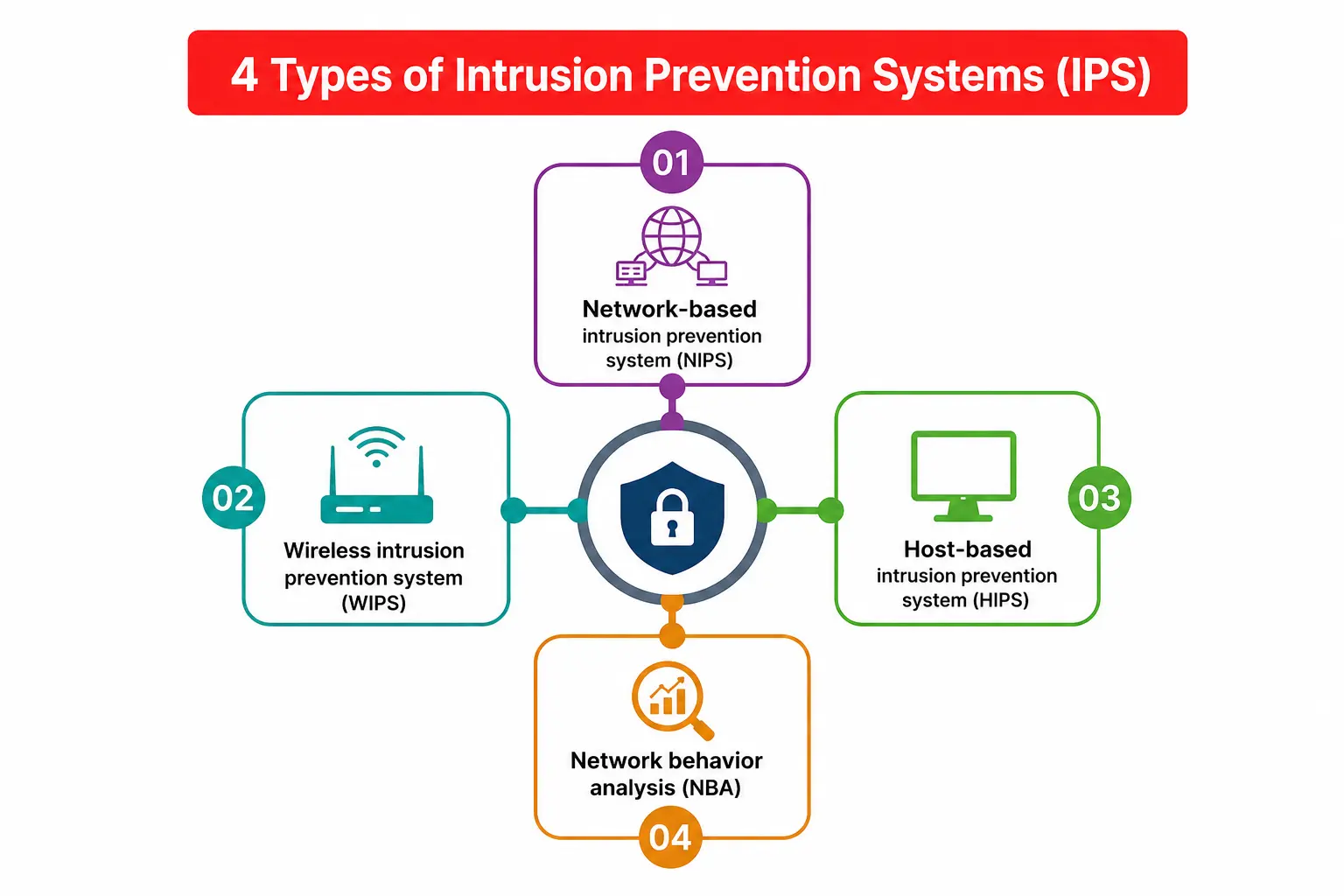
1. Network-based Intrusion Prevention System (NIPS)
NIPS is placed at important network locations and inspects traffic between network segments. It is useful at internet edges, data centers, WAN edges, and segmentation points where many systems can be protected from one inspection point.
2. Wireless Intrusion Prevention System (WIPS)
WIPS monitors wireless networks for rogue access points, unauthorized clients, suspicious wireless behavior, and policy violations. It helps protect Wi-Fi environments where attackers may attempt evil-twin access points, unauthorized bridging, or deauthentication attacks.
3. Host-based Intrusion Prevention System (HIPS)
HIPS runs on an endpoint or server and watches local traffic and host behavior. It can protect a single critical machine even if a network IPS does not see every packet due to encryption, routing, or local host activity.
4. Network Behavior Analysis (NBA)
Network Behavior Analysis focuses on traffic flow, volume, direction, and behavioral changes. It is especially useful for detecting scanning, lateral movement, data exfiltration patterns, and distributed denial-of-service behavior.
Attacks Detected and Prevented by IPS
An IPS can help detect or block many network attack patterns. The exact coverage depends on the vendor, signature database, update quality, traffic visibility, and how strict the policy is.
- ARP spoofing: Attempts to redirect traffic by poisoning address-resolution mappings.
- Buffer overflow attempts: Exploit payloads that try to overwrite memory and take control of an application.
- DDoS and flood traffic: High-volume or abnormal traffic designed to exhaust resources.
- IP fragmentation attacks: Malformed or evasive fragments that try to confuse packet reassembly.
- OS fingerprinting and scanning: Reconnaissance activity used to identify operating systems and exposed services.
- Ping of Death and malformed ICMP: Oversized or malformed packets that target protocol handling weaknesses.
- Port scanning: Attempts to discover open services for later exploitation.
- SMB probes: Attempts to abuse Windows file-sharing or authentication behavior.
- SYN flood: A flood of half-open TCP connection attempts against servers or firewalls.
- SSL/TLS evasion: Attempts to hide malicious payloads inside encrypted traffic or evasive session behavior.
IPS vs IDS
IPS and IDS both inspect traffic for suspicious behavior, but their placement and action model are different. IDS is normally passive. It receives a copy of traffic from a tap or SPAN port and alerts the security team. IPS is inline. Traffic passes through it, so it can enforce prevention.
| Feature | IDS | IPS |
|---|---|---|
| Placement | Out of path, using copied traffic. | Inline, directly in the traffic path. |
| Main action | Detect and alert. | Detect, alert, and prevent. |
| Risk | Cannot directly block attacks. | Can block valid traffic if policies are too aggressive. |
| Best use | Visibility, monitoring, forensics, and tuning. | Active protection for high-risk traffic paths. |
IPS vs Firewall
A firewall and an IPS are related, but they are not the same thing. A firewall controls access based on policy such as source, destination, port, protocol, application, user, and zone. IPS goes deeper into traffic behavior and attack patterns.
In many modern networks, IPS is enabled as a security profile inside a next-generation firewall. That design is practical because the same device can enforce access rules and inspect allowed traffic for threats.
IPS Best Practices
- Start in alert or monitor mode before enabling blocking on sensitive production traffic.
- Apply stricter IPS profiles to internet-facing services and high-risk zones.
- Keep signatures and threat intelligence feeds updated.
- Tune noisy signatures to reduce false positives without disabling important protection.
- Log IPS events to a SIEM or central log system for correlation.
- Use IPS with patching, vulnerability management, endpoint protection, and firewall policy review.
Intrusion Prevention System FAQs
What is an IPS in simple words?
An IPS is a security system that watches traffic and can block attacks automatically when suspicious patterns are detected.
What are the main IPS detection methods?
The two most common methods are signature-based detection and anomaly-based detection. Many modern products also use reputation feeds, sandboxing, machine learning, and protocol validation.
Is IPS better than IDS?
IPS is better for prevention because it can block traffic. IDS is useful for visibility and investigation because it monitors copied traffic without affecting live sessions.
Can IPS replace a firewall?
No. A firewall controls access between networks. IPS inspects allowed traffic for attack behavior. Most secure designs use both.
Where should IPS be deployed?
Common placement points include the internet edge, data-center edge, server farm, branch edge, and segmentation boundaries between important network zones.
What Is Intrusion Prevention System (IPS)?: Tags and Keywords
Intrusion Prevention System, IPS security, IDS vs IPS, NIPS, WIPS, HIPS, network behavior analysis, signature-based detection, anomaly-based detection, virtual patching, DDoS prevention, port scanning detection, network security, firewall IPS profile.