Python While Loop
Repeat a block of code while a condition remains true, then control individual iterations with break, continue, and else.
Python While Loops at a Glance
Iteration means repeating a block of code. A while loop repeats while its condition is True and checks that condition before every iteration.
Check
Python evaluates the loop condition before running the indented body.
Execute
If the condition is true, the body runs once and control returns to the condition.
Exit
The loop ends when the condition becomes false or a break statement runs.
In This Lesson
1. Python While Loop Visual Summary
Use this infographic to review the condition flow, basic syntax, and the different effects of break, continue, and loop else.
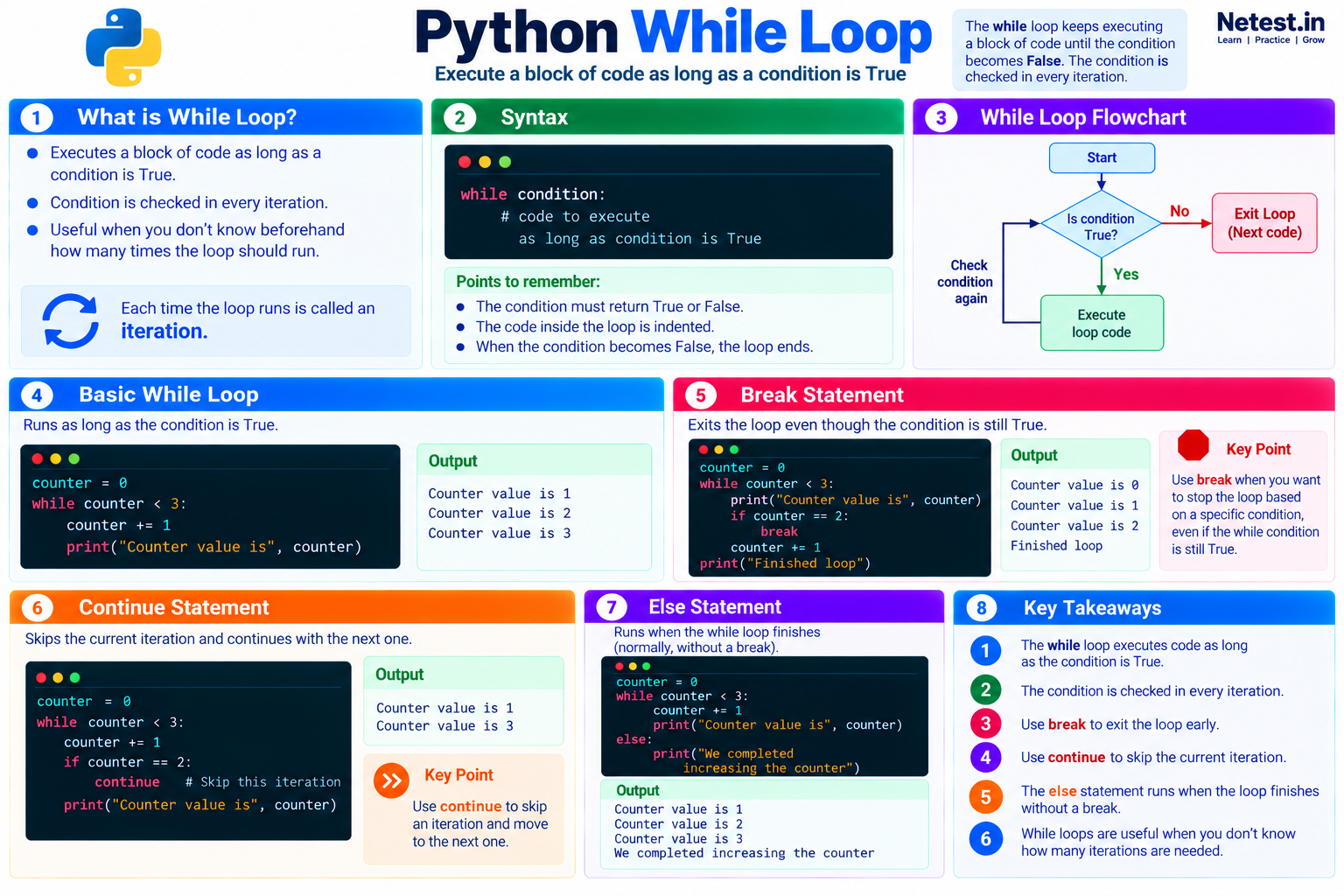
2. While Loop
Python provides two common loop options: while loops and for loops. A while loop is useful when you do not know beforehand how many iterations are needed. It keeps running as long as its condition is true.
Here is a basic example:
Increase a counter
counter = 0

while counter < 3:
    counter += 1
    print("Counter value is %s" % counter)
The code produces this output:
Output
Counter value is 1
Counter value is 2
Counter value is 3
The condition is checked before each iteration. The loop prints a message and increases counter by 1. Once counter equals 3, counter < 3 is false and execution continues after the loop.
break.3. Break
The break statement exits the nearest loop immediately, even when the loop condition is still true.
Exit when the counter reaches 2
counter = 0

while counter < 3:
    print("Counter value is %s" % counter)
    if counter == 2:
        break
    counter += 1

print("Finished loop")
Output
Counter value is 0
Counter value is 1
Counter value is 2
Finished loop
When counter equals 2, break transfers control to the first statement after the loop. The increment below the if block does not run during that final iteration.
4. Continue Statement
The continue statement stops the current iteration and returns to the next condition check. Code after continue in the same loop body is skipped for that iteration.
Skip counter value 2
counter = 0

while counter < 3:
    counter += 1
    if counter == 2:
        continue
        print("this is never executed")
    print("Counter value is %s" % counter)
Output
Counter value is 1
Counter value is 3
The loop skips the print statement when the value is 2, then continues until the while condition becomes false. In production code, remove statements placed after an unconditional continue because they can never run.
5. Else Statement
A while loop can have an else block. It runs after the condition becomes false and the loop finishes normally.
Confirm normal completion
counter = 0

while counter < 3:
    counter += 1
    print("Counter value is %s" % counter)
else:
    print("We completed increasing the counter")
Output
Counter value is 1
Counter value is 2
Counter value is 3
We completed increasing the counter
The final message appears because the condition became false normally. If a break statement exits the loop, the else block is skipped. This makes else useful for code that should run only when a search or retry loop completes without an early exit.
6. Network Automation Example
A bounded while loop can model a retry workflow. This safe example reads simulated interface states rather than contacting a device:
Check simulated interface state
states = ["down", "down", "up"]
attempt = 0

while attempt < len(states):
    state = states[attempt]
    attempt += 1
    print(f"Attempt {attempt}: interface is {state}")

    if state == "up":
        print("Interface is ready")
        break
else:
    print("Interface did not become ready")
Output
Attempt 1: interface is down
Attempt 2: interface is down
Attempt 3: interface is up
Interface is ready
The counter limits the number of checks, and break exits when the desired state appears. A real polling script should also use a delay, a timeout, exception handling, and read-only device access. Never create a fast, unlimited loop that repeatedly contacts production equipment.
7. Guided Practice
Task: Count Reachable Devices
- Create
statuses = ["up", "down", "up", "unknown"]. - Use an index and a
whileloop to inspect each status. - Use
continueto skip"unknown". - Increase a second counter whenever the status equals
"up". - Print the reachable-device total after the loop.
Expected result: the script prints a reachable-device total of 2 and terminates after examining all four entries.
break when two reachable devices have been found, then observe whether a loop else block runs.8. Conclusion
You learned how Python controls repetition with a while loop:
- A
whileloop keeps iterating until its condition becomes false. breakstops the loop even when the condition is still true.continueskips the rest of the current iteration and begins the next condition check.- The loop
elseblock runs after normal completion, but not afterbreak.
Use explicit counters, limits, and exit conditions so every automation loop has a predictable stopping point.
Python While Loop Frequently Asked Questions
When should I use a while loop in Python?
Use one when code should repeat while a condition remains true and the number of required iterations is not known beforehand. Use a for loop when iterating directly over a known collection is clearer.
What is the difference between break and continue?
break exits the loop immediately. continue skips the rest of the current iteration and starts the next condition check.
When does the else block of a while loop run?
It runs when the condition becomes false and the loop finishes normally. It does not run when break exits the loop.
How can I prevent an infinite while loop?
Make sure the loop changes the state used by its condition. When waiting for external state, also add a maximum attempt count or timeout and handle the failure clearly.