Python Loops
Repeat a block of code, process every item in a sequence, and control when repetition stops.
Python Loops at a Glance
A loop is an instruction that executes code multiple times. Each pass through the loop is called an iteration.
For loop
Runs a defined number of times or once for each item in a sequence.
While loop
Repeats while a condition remains true and stops when that condition is no longer met.
Loop control
Use continue to skip an item or break to leave a loop early.
In This Lesson
1. Python Loops Infographic
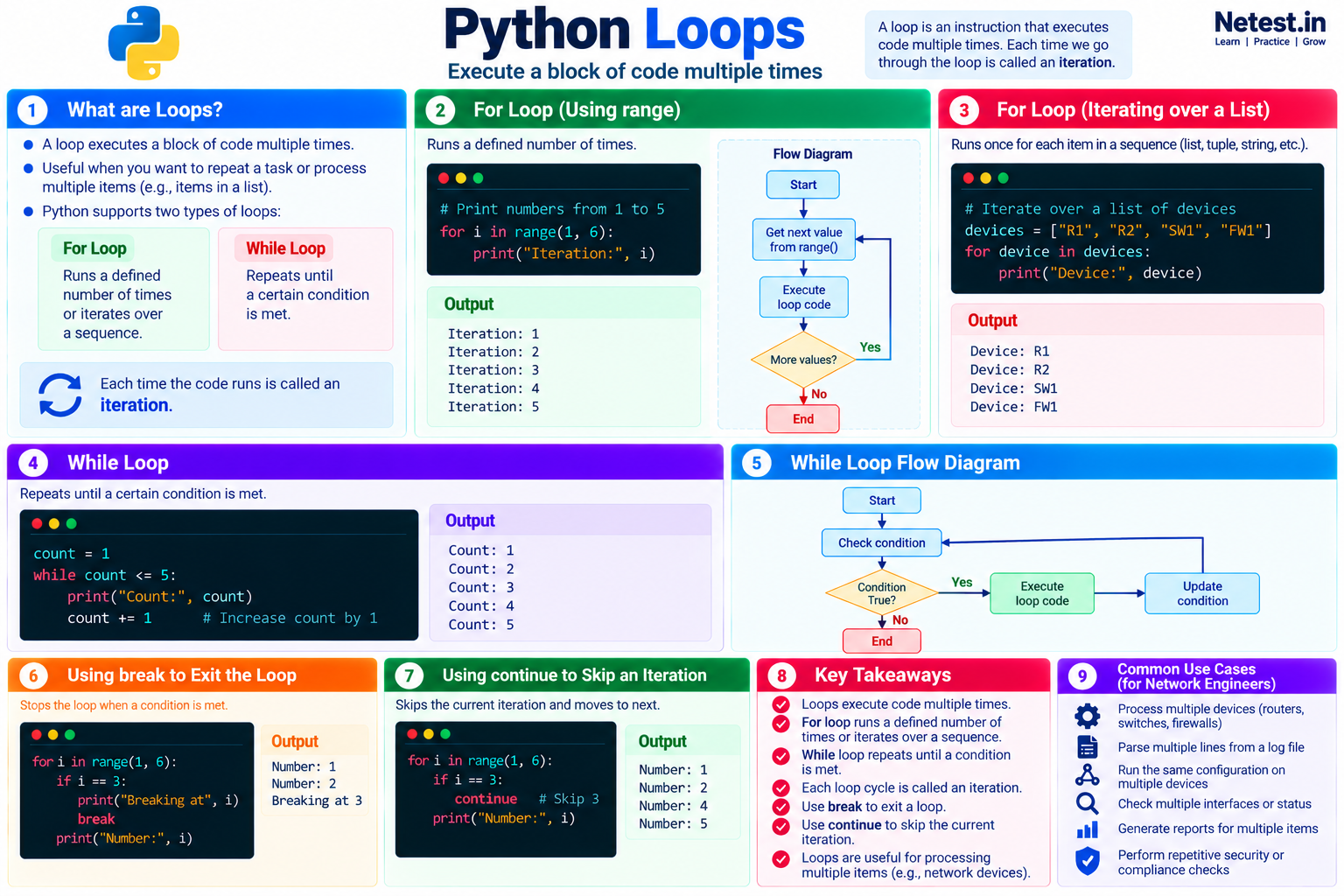
Use this visual guide to review loop types, flow diagrams, code examples, break, continue, and common network automation uses.
2. For Loop
The for loop runs a defined amount of times before it ends. This is useful when you want to execute code a specific number of times. You can also use a for loop to go through each item in a sequence, such as the items in a list.
Process a device list
devices = ["R1", "R2", "SW1", "FW1"]

for device in devices:
    print("Device:", device)
It shows this output:
Output
Device: R1
Device: R2
Device: SW1
Device: FW1
The loop performs one iteration for each device in the list. The variable device holds the current item during each pass.
continue skips the rest of the current iteration, while break exits the loop completely.3. While Loop
The while loop repeats itself and does not end until a certain condition is met. Each time an iteration ends, Python checks the condition again. When the condition is false, the loop ends; otherwise, the code in the loop runs again.
Repeat while a counter is within a limit
count = 1

while count <= 5:
    print("Count:", count)
    count += 1
It shows this output:
Output
Count: 1
Count: 2
Count: 3
Count: 4
Count: 5
Updating count is essential: it eventually makes the condition false. If a while loop's condition never changes, the loop can continue indefinitely.
4. Conclusion
Loops are useful when you want to execute the same line or block of code multiple times, or when you want to process multiple items such as the devices in a list. A for loop handles a known number of repetitions or a sequence, while a while loop continues until its condition changes.
Python Loops Frequently Asked Questions
What is an iteration in Python?
An iteration is one complete pass through the code inside a loop.
When should I use a for loop instead of a while loop?
Use a for loop for a known number of repetitions or to process items in a sequence. Use a while loop when repetition should continue until a condition changes.
How do break and continue affect a loop?
break exits the loop immediately, while continue skips the rest of the current iteration and starts the next one.