Introduction to Python
Learn what Python is, why network engineers use it, and how to begin with small tasks you can test safely.
Introduction to Python at a Glance
Python gives network engineers a readable way to turn repeatable tasks into small programs that can be tested, reviewed, and improved.
Readable language
Clear syntax keeps the intent of a script visible to beginners and reviewers.
Two ways to run
Try statements in the interpreter or save a sequence of instructions in a .py file.
Automation foundation
Use Python to work with device data, files, SSH tools, APIs, validation, and reports.
In This Lesson
1. What is Python?
Python is a free programming language. Its code reads much like plain English, so it is a practical first language for a network engineer.
A Python interpreter reads and runs your instructions. You can test one line at a time or save several instructions in a file ending in .py.
Python runs on Windows, macOS, and Linux. Later, you can add packages for SSH, REST APIs, data files, testing, and reports.
Try Python interactively
>>> hostname = "R1"
>>> ip = "192.0.2.1"
>>> print(f"Device: {hostname}, IP: {ip}")
Device: R1, IP: 192.0.2.1
>>> 2 + 3
5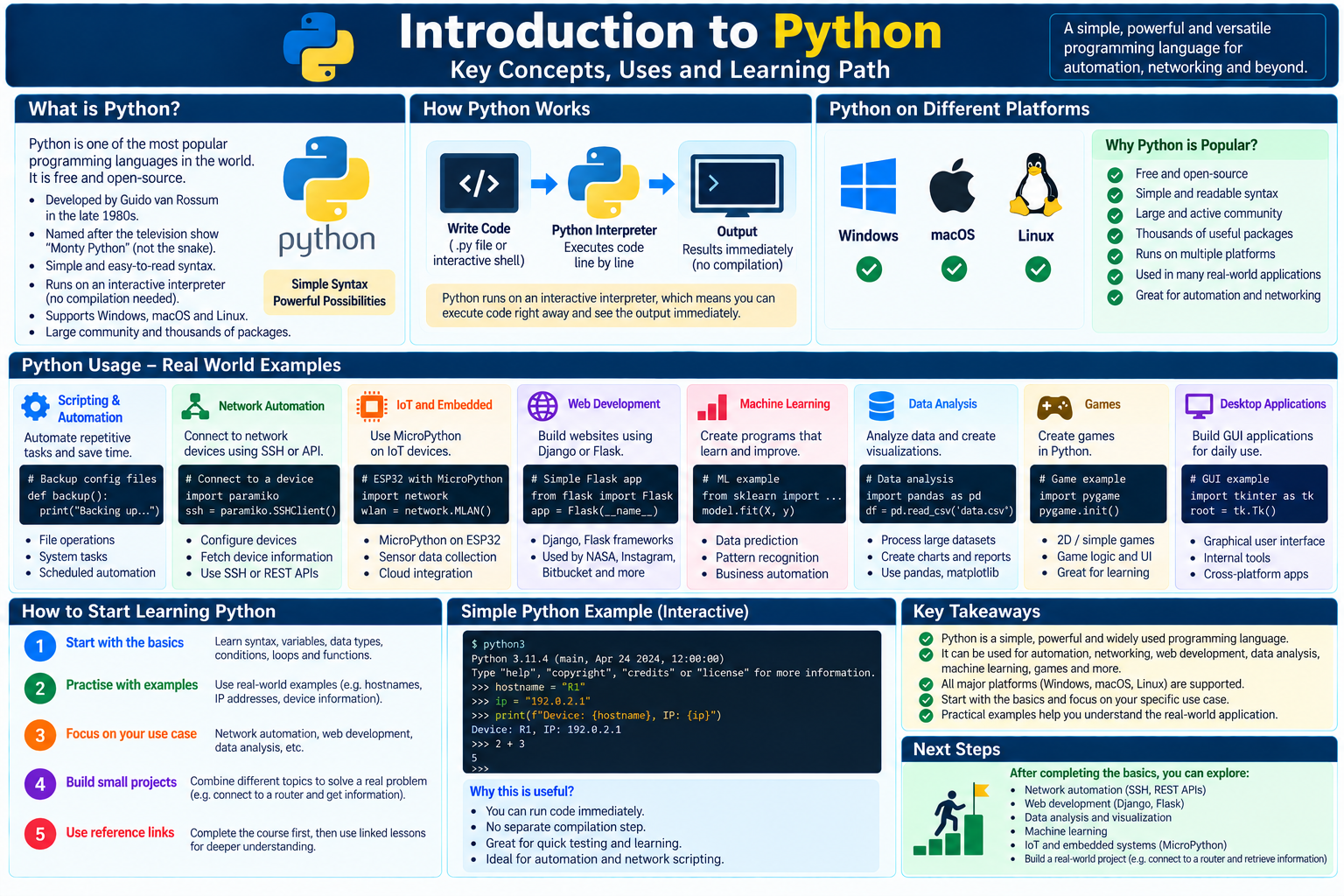
2. Python Usage
Python is useful when a clear manual task must be repeated. A script can follow the same steps for every device and present the results in one format.
Repeat checks
Check software versions or interface states without entering the same commands by hand on every device.
Collect device data
Read information through SSH or an API and place the results in a simple report.
Validate changes
Compare the current state with the intended state before and after a maintenance window.
Real-world example: prepare an upgrade list
Imagine that 40 switches must run the approved software release. A read-only script can compare each reported version with the approved version and mark the devices that need attention.
Compare one device
device = "SW1"
running_version = "17.9.3"
approved_version = "17.9.5"

print(device, running_version == approved_version)
The result is SW1 False. In a later lesson, conditions and loops can turn this small check into a report for many devices.
Other areas where Python is used
Web development
Build websites with frameworks such as Django or Flask.
Machine learning
Create programs that learn from data and improve their results.
Data analysis
Analyze information and create visualizations and reports.
Games
Create games while practicing program structure and logic.
Desktop applications
Build graphical user interfaces for cross-platform tools.
3. How to learn Python
You do not need to learn every part of Python at once. Begin with values, variables, conditions, loops, functions, and errors.
Next, work with files and structured data such as JSON or YAML. After that, practice read-only SSH and REST API calls in a lab.
Use familiar network data while learning. Hostnames, IP addresses, interface names, VLAN IDs, and status messages make each exercise easier to understand.
Learn the basics
Understand variables, data types, conditions, loops, functions, and errors.
Practice with network data
Use hostnames, IP addresses, interfaces, and device information in small exercises.
Focus on your use case
Choose network automation problems that are small enough to understand and verify.
Build a small project
Combine the concepts into a script that connects to a lab router and retrieves information.
Frequently Asked Questions
Why is Python popular for network automation?
Its syntax is readable, it runs on major platforms, and its package ecosystem supports SSH, APIs, structured data, testing, and reporting.
Do I need programming experience before learning Python?
No. Start with small interactive examples and learn one concept at a time before combining them into a complete script.
What should a network engineer learn after the basics?
Learn how to work with files and structured data, then practice SSH and REST API interactions with devices in a safe lab.