Python Membership Operators
Use in and not in to check whether an item exists in a string, list, tuple, or dictionary.
Python Membership Operators at a Glance
Membership operators are one of the Python operator types. They search a container and return a boolean result without requiring a manual loop.
in
Returns True when the requested item exists.
not in
Returns True when the requested item does not exist.
Dictionary behavior
Direct membership tests check dictionary keys, not values.
In This Lesson
1. Membership Operators Infographic
Use this visual reference to compare the syntax, example results, key takeaways, and network automation uses of both membership operators.
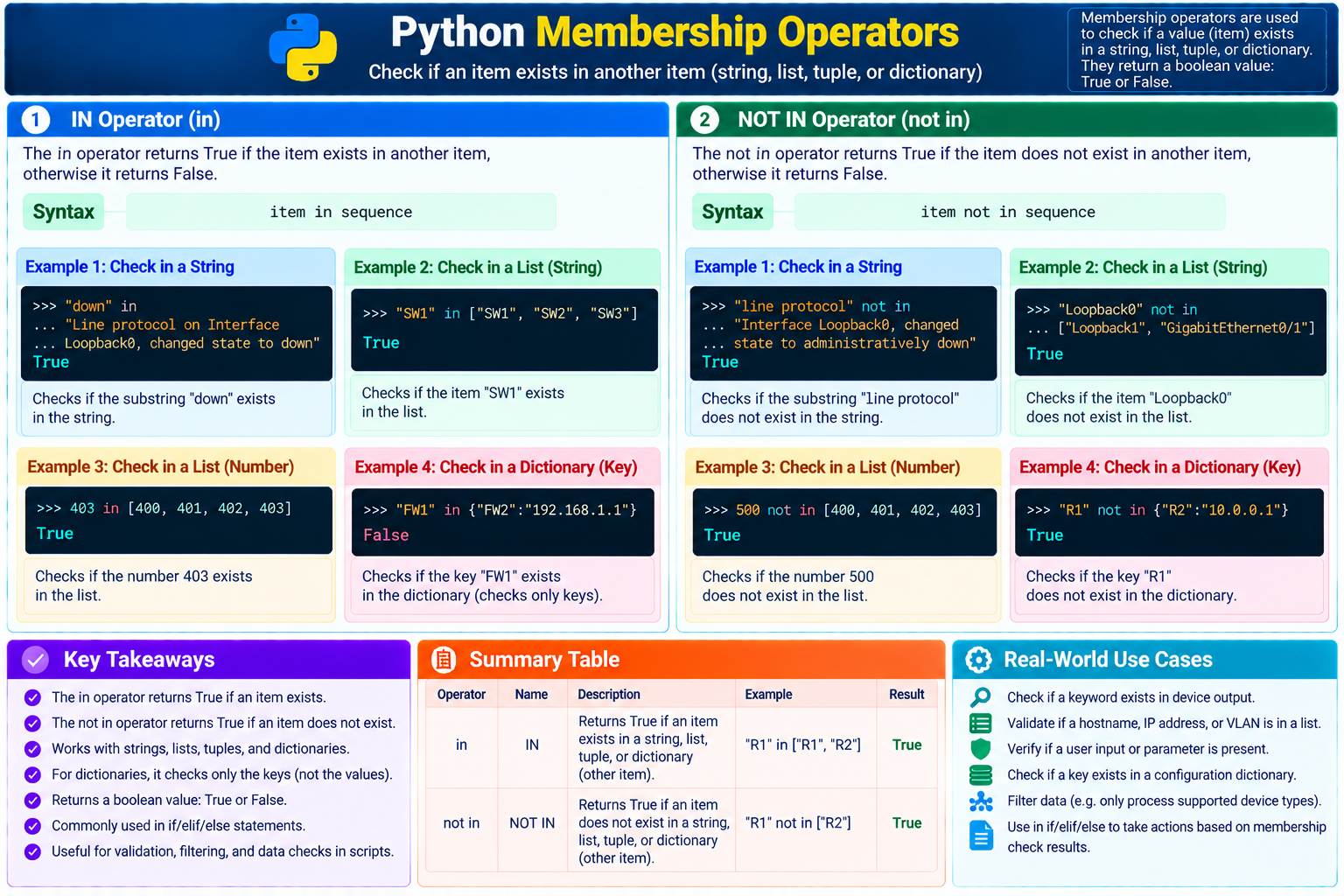
in and not in to test whether an item belongs to a container.2. IN Operator
The in operator returns True when an item exists in another item. It returns False when Python cannot find that item.
Find text in a string
>>> "down" in "Line protocol on Interface Loopback0, changed state to down"
True
The substring down appears in the larger string.
Find a string in a list
>>> "SW1" in ["SW1", "SW2", "SW3"]
True
The exact item SW1 is present in the list.
Find a number in a list
>>> 403 in [400, 401, 402, 403]
True
The integer 403 matches one list item.
Check a dictionary key
>>> "FW1" in {"FW2": "192.168.1.1"}
False
The dictionary contains the key FW2, but not FW1.
For the source topic anchor supplied with this lesson, see IN Operator.
3. NOT IN Operator
The not in operator returns True when an item does not exist in another item. This is useful when a script should act only on missing, unsupported, or unexpected data.
Confirm text is absent
>>> "line protocol" not in "Interface Loopback0, changed state to administratively down"
True
The exact lowercase substring line protocol is absent.
Confirm an interface is absent
>>> "Loopback0" not in ["Loopback1", "GigabitEthernet0/1"]
True
No list item exactly matches Loopback0.
"line protocol" and "Line protocol" are different strings.For the source topic anchor supplied with this lesson, see NOT IN Operator.
4. Network Automation Example
A read-only inventory check can confirm that a requested device exists before the script tries to use its management address:
Check an inventory dictionary
inventory = {
    "SW1": "192.168.10.11",
    "SW2": "192.168.10.12",
    "FW1": "192.168.10.21"
}

requested_device = "FW1"

print(requested_device in inventory)
print("R1" not in inventory)
Both lines print True. FW1 is a key in the inventory, while R1 is not.
5. Common Mistakes and Limits
Checking dictionary values
"192.168.1.1" in inventory checks keys. Use inventory.values() to search values.
Ignoring case
Normalize text with methods such as .lower() when the source may use different capitalization.
Expecting a position
Membership operators return only True or False; they do not return the matching index.
6. Guided Practice
Task 1: Predict membership results
- Predict
"up" in "Interface is up". - Predict
22 not in [22, 80, 443]. - Run both expressions in the interpreter.
Expected result: The first expression returns True; the second returns False.
Task 2: Check supported platforms
- Create
supported = ["ios", "nxos", "junos"]. - Set
platform = "eos". - Test
platform not in supported. - Change the platform to
"ios"and run it again.
Expected result: The first check returns True; the second returns False.
7. Conclusion
You have learned how to use the in and not in membership operators to check whether an item exists in another item.
inis true when Python finds the item.not inis true when Python does not find the item.- Both operators work with strings, lists, tuples, and dictionary keys.
- Membership checks return
TrueorFalse.
I hope you enjoyed this lesson. If you have any questions, please leave a comment. You can also review the supplied conclusion reference.
Python Membership Operators Frequently Asked Questions
What do Python membership operators return?
The in and not in operators return a boolean value: True or False.
Does in check dictionary keys or values?
Used directly with a dictionary, in checks keys. Use the values() method when you need to search the dictionary's values.
What is the difference between in and not in?
The in operator is true when an item exists in a container. The not in operator is true when the item does not exist.