Python User Input
Pause a program, ask the user for a value, and store the response in a variable with Python's input() function.
Python User Input at a Glance
The input() function pauses a program, shows an optional prompt, and returns the user's response as a string.
Prompt clearly
Tell the user exactly which value to enter, such as a hostname, address, or device count.
Store the response
Assign the string returned by input() to a meaningful variable for later use.
Validate before use
Check the value and convert it when the script requires a number or another specific format.
In This Lesson
1. The input() Function
Python supports user input, which means the program pauses to ask the user for input. When the user enters some data and presses Enter, Python stores the data in a variable as a string. We do this with the input() function.
input() waits for an answer. The program continues only after the user enters a value and presses Enter.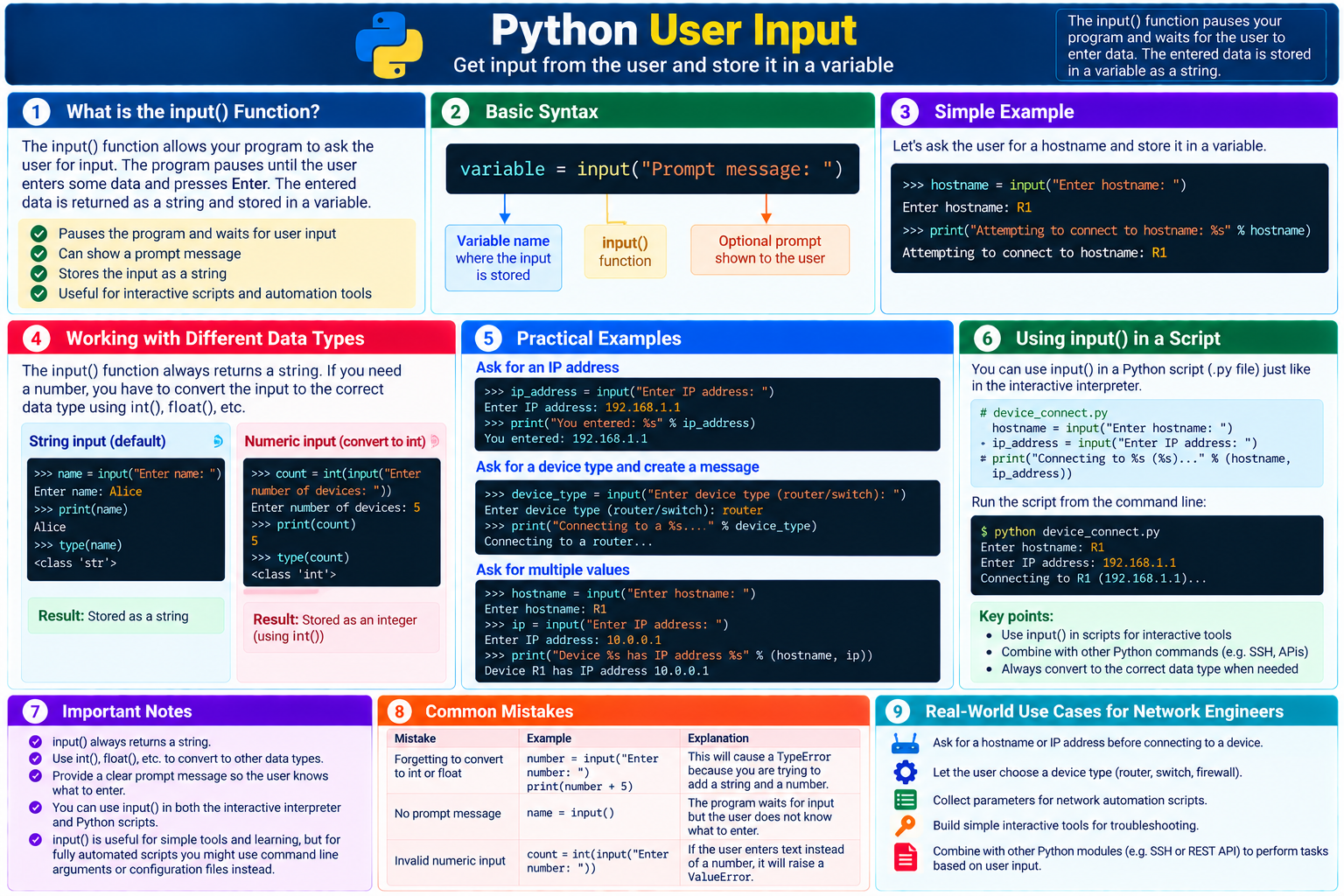
2. Ask for a Hostname
Here is an example:
Prompt for a hostname
>>> hostname = input("Enter hostname: ")
Enter hostname: R1
The text entered by the user is returned by input() and assigned to the variable hostname. In this example, hostname now stores the string "R1".
3. Use the Stored Input
Printing the variable will show this output:
Reuse the hostname
>>> print("Attempting to connect to hostname: %s" % hostname)
Attempting to connect to hostname: R1
The %s placeholder is replaced with the string stored in hostname. A modern f-string can produce the same message:
The same output with an f-string
>>> print(f"Attempting to connect to hostname: {hostname}")
Attempting to connect to hostname: R1
4. Write a Clear Prompt
The input() function can show a string to the user. In the example, the prompt is "Enter hostname: ". Without a clear prompt, the user might not notice that the program is waiting or know what to enter.
| Prompt | Quality | Reason |
|---|---|---|
input() | Unclear | The program waits without explaining what it needs. |
input("Value: ") | Too general | The expected kind of value is still uncertain. |
input("Enter hostname: ") | Clear | The user knows exactly which value to provide. |
5. User Input Is a String
The input() function always returns a string. If the program needs a number, convert the entered text to the correct numeric type:
Convert a device count
>>> device_count = int(input("Enter number of devices: "))
Enter number of devices: 5
>>> print(device_count + 1)
6int() raises a ValueError if the user enters text that is not a valid whole number. Production scripts should validate input and handle that error.6. Use input() in a Script
The same function works in a saved .py file. This small read-only example collects a hostname and management address before displaying the intended connection target:
device_connect.py
hostname = input("Enter hostname: ")
ip_address = input("Enter IP address: ")

print(f"Connecting to {hostname} ({ip_address})...")
Example run
Enter hostname: R1
Enter IP address: 192.168.1.1
Connecting to R1 (192.168.1.1)...
This example only displays the target; it does not connect to or change a device. As scripts become more capable, validate every value before using it in an SSH session, API request, or configuration change.
7. Conclusion
Use input() when a program needs an interactive value. Give the user a clear prompt, store the returned string in a meaningful variable, and convert or validate the value before using it as another data type.
Python User Input Frequently Asked Questions
What does Python's input() function return?
It returns the user's entry as a string, even when the user types digits.
Why should input() include a prompt?
A clear prompt tells the user what value the program expects and reduces input mistakes.
How do I use user input as a number?
Convert the returned string with a function such as int() or float(), and handle invalid entries when building a real script.