Python Variables
Store device information once, reuse it safely, and give each value a name that another engineer can understand.
Python Variables at a Glance
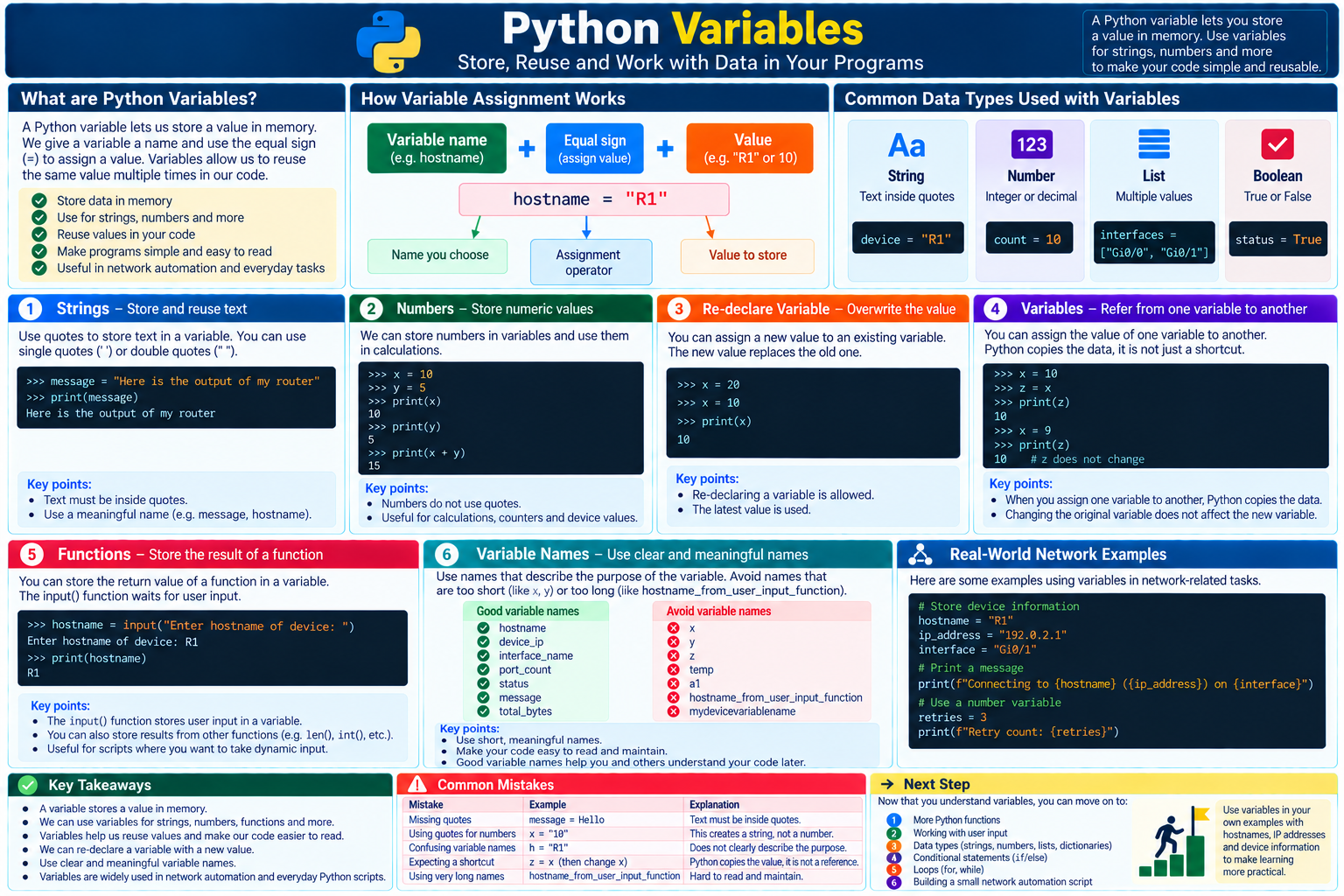
A variable gives a value a meaningful name so a script can store it once, reuse it, and replace it when newer data becomes available.
Name a value
Use = to bind a clear name such as hostname or retry_count to data.
Reuse the name
Refer to the variable wherever the stored value is needed instead of repeating the original value.
Update deliberately
Assign a new value to the same name when the program receives newer state or calculates a new result.
In This Lesson
1. Strings
A variable is a name for a value. Use the equal sign (=) to assign the value on the right to the name on the left.
For example, a script may need the same device name in several messages. Store it once instead of typing it again and again:
A string in the interpreter
>>> device_name = "R1"
>>> device_name
'R1'
Pass the variable to print() whenever the device name is needed:
Store and print a string
>>> device_name = "R1"
>>> print("Checking", device_name)
Checking R1
Every use of device_name now reads the stored text. The name also explains what the value means.
2. Numbers
Variables can store numbers such as retry limits, VLAN IDs, and interface counters. Numbers do not use quotes:
Store and display numbers
>>> failed_checks = 2
>>> total_checks = 10
>>> print(failed_checks)
2
>>> print(total_checks)
10
Once the values are assigned, you can use their variable names in expressions:
Add two variables
>>> passed_checks = total_checks - failed_checks
>>> print(passed_checks)
8
3. Update a Variable
You can assign a new value to an existing variable. Python uses the most recent value:
Reassign a value
>>> interface_state = "down"
>>> interface_state = "up"
>>> print(interface_state)
up4. Copy a Value
You can use the current value of one variable while assigning another:
Assign from another variable
>>> primary_ip = "192.0.2.10"
>>> test_target = primary_ip
>>> print(test_target)
192.0.2.10
If primary_ip later changes, test_target still contains the text copied during its assignment:
Rebind one name
>>> primary_ip = "192.0.2.10"
>>> test_target = primary_ip
>>> primary_ip = "192.0.2.11"
>>> print(test_target)
192.0.2.10
Python did not create a permanent link between the two names. Changing primary_ip does not automatically update test_target.
5. Store Function Results
A variable can store the result returned by a function. The input() function waits for the user to enter text:
Store user input
>>> hostname = input("Enter hostname of device: ")
Enter hostname of device: R1
>>> print(hostname)
R1
After the user enters R1 and presses Enter, the returned text is assigned to hostname. The program can then reuse that value in connection messages, logs, or later device operations.
6. Variable Names
Names such as x, y, and z are short, but they do not explain what the data represents. A name such as hostname immediately provides context. At the other extreme, hostname_from_user_input_function is unnecessarily long and awkward to reuse.
| Less clear | Clearer choice | Why |
|---|---|---|
x | retry_count | Describes the number being stored. |
a | message | Explains that the value is display text. |
temp | device_ip | Identifies the network value precisely. |
Real-world example: describe a connection check
Use names that explain the task
device_name = "R1"
device_ip = "192.0.2.10"
retry_count = 3

print(f"Checking {device_name} at {device_ip}; retries: {retry_count}")
The output states which device will be checked, which address will be used, and how many retries are allowed. The variable names make the code understandable without extra comments.
7. Conclusion
In this lesson, you learned how Python variables make values reusable:
- Assignment gives a variable name a value.
- Variables can store strings, numbers, function results, and many other data types.
- Reassigning a variable makes its name refer to a new value.
- One variable can be assigned from the value referenced by another variable.
- Short, meaningful names make code easier to read and maintain.
Python Variables Frequently Asked Questions
What is a Python variable?
A variable is a name bound to a value. Using the name lets your program retrieve and reuse the value later.
Can a Python variable be reassigned?
Yes. Assigning a new value to an existing name makes that name refer to the new value. The most recent assignment is the one Python uses.
How should I name Python variables?
Use short, meaningful names that describe the stored value, such as hostname, retry_count, or device_ip.