Python Functions: Arguments and Return Values
Create reusable blocks of code, pass device data into them, and return results that the rest of an automation script can use.
Python Functions at a Glance
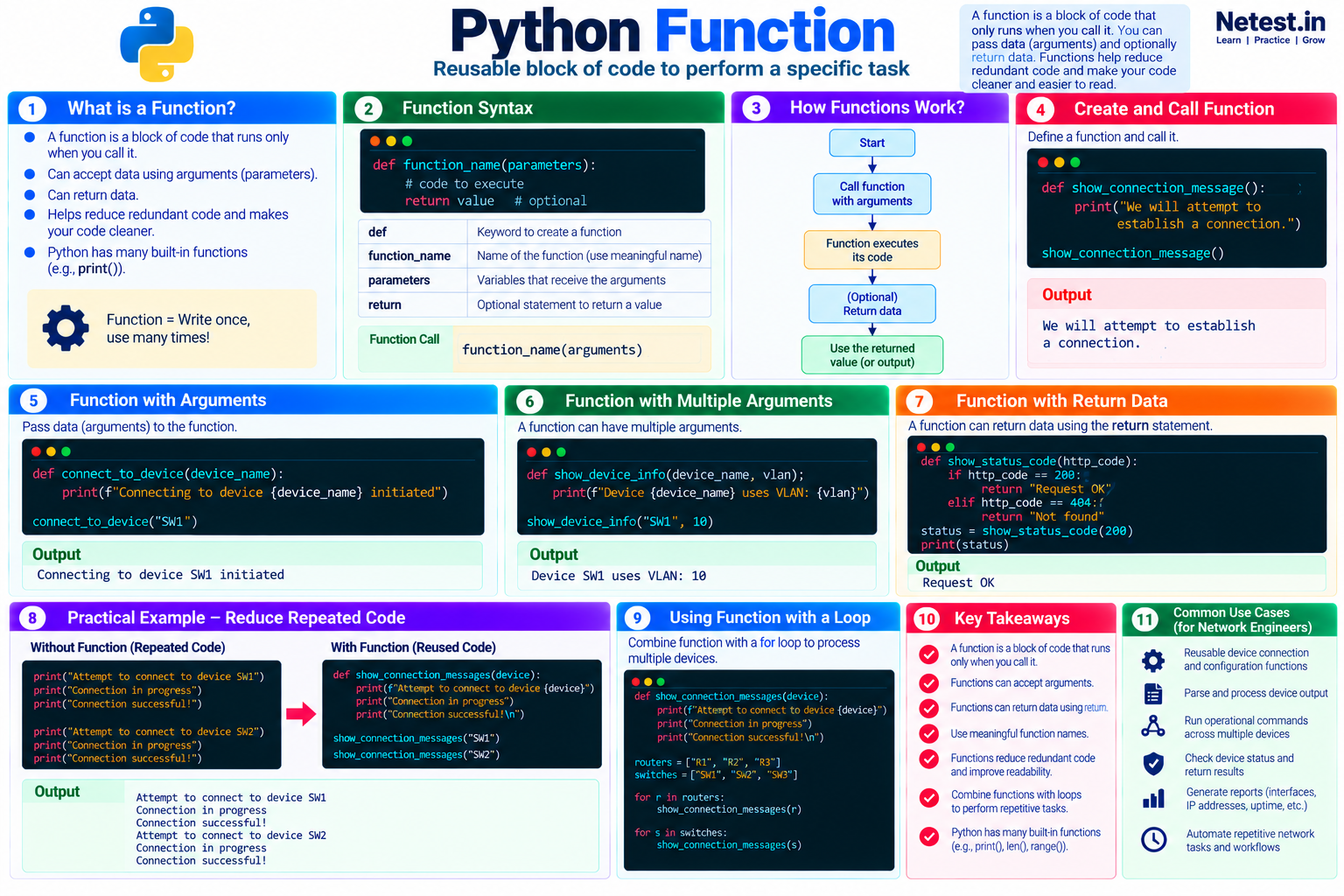
A function is a named block of code that runs when called. It can receive data through parameters, perform one focused task, and optionally return a result.
Define once
Use def, a meaningful name, parentheses, and an indented function body.
Call as needed
Run the function by writing its name followed by parentheses and any required arguments.
Reuse the result
Use return when another part of the program needs the value produced by the function.
In This Lesson
1. Create and Call a Function
Start a function definition with def, choose a meaningful name, add parentheses and a colon, and indent the code that belongs to the function. The definition stores the work; the later call runs it.
Define and call a function
def show_connection_message():
    print("We will attempt to establish a connection.")

show_connection_message()
Output
We will attempt to establish a connection.The name show_connection_message describes the function's job. The parentheses in the call are required even though this function accepts no data.
2. Use Arguments and Parameters
A function can receive strings, integers, floats, lists, tuples, dictionaries, or other Python objects. The variable named in the definition is a parameter; the value supplied in the call is an argument.
Pass a device name
def connect_to_device(device_name):
    print(f"Connecting to device {device_name} initiated")

connect_to_device("SW1")
Output
Connecting to device SW1 initiatedIn this example, device_name is the parameter and "SW1" is the argument. Inside the function, the parameter refers to the supplied string.
3. Pass Multiple Arguments
Separate multiple parameters and arguments with commas. Positional arguments are matched from left to right, so their order matters.
Show device information
def show_device_info(device_name, vlan):
    print(f"Device {device_name} uses VLAN: {vlan}")

show_device_info("SW1", 10)
Output
Device SW1 uses VLAN: 10show_device_info(device_name="SW1", vlan=10) make the mapping explicit.4. Return Data from a Function
Printing displays a value for a person. Returning sends a value back to the calling code so the program can store, test, format, or pass it elsewhere.
Return an HTTP status label
def show_status_code(http_code):
    if http_code == 200:
        return "Request OK"
    elif http_code == 404:
        return "Not found"
    return "Unknown status"

status = show_status_code(200)
print(status)
Output
Request OKThe fallback return ensures the function also produces a defined result for status codes other than 200 and 404. Without an explicit return, a Python function returns None.
5. Reduce Repeated Code
Functions are most useful when the same task would otherwise appear in several places. Instead of repeating three status messages for every device, put that behavior in one function and pass the changing device name as an argument.
Reuse one connection-message function
def show_connection_messages(network_device_name):
    print(f"Attempt to connect to device {network_device_name} in progress.")
    print("Connection in progress")
    print("Connection successful!")

show_connection_messages("SW1")
show_connection_messages("SW2")
Output
Attempt to connect to device SW1 in progress.
Connection in progress
Connection successful!
Attempt to connect to device SW2 in progress.
Connection in progress
Connection successful!
If the message format changes, you now update one function instead of finding and editing several repeated blocks.
6. Use a Function with a Loop
Combine a reusable function with a for loop to process several devices consistently. The loop chooses each item; the function owns the work performed for that item.
Process router and switch lists
def show_connection_messages(device):
    print(f"Attempt to connect to device {device}")
    print("Connection in progress")
    print("Connection successful!\n")

routers = ["R1", "R2", "R3"]
switches = ["SW1", "SW2", "SW3"]

for router in routers:
    show_connection_messages(router)

for switch in switches:
show_connection_messages(switch)7. Conclusion
A function packages one task behind a useful name. Define it with def, call it with parentheses, pass changing data as arguments, and use return when the rest of the program needs a result. Small, focused functions reduce repetition and make network automation scripts easier to test, read, and maintain.
Python Functions Frequently Asked Questions
What is the difference between a parameter and an argument in Python?
A parameter is the variable named in a function definition. An argument is the value supplied when the function is called.
Does every Python function need a return statement?
No. A function can perform an action without an explicit return statement. In that case, Python returns None.
Why are functions useful in network automation?
Functions package repeated work into named, reusable units, making device checks, parsing, validation, and reporting easier to test and maintain.