CCNA 200-301 v2.0 Syllabus: 2027 Exam Topics and Study Guide
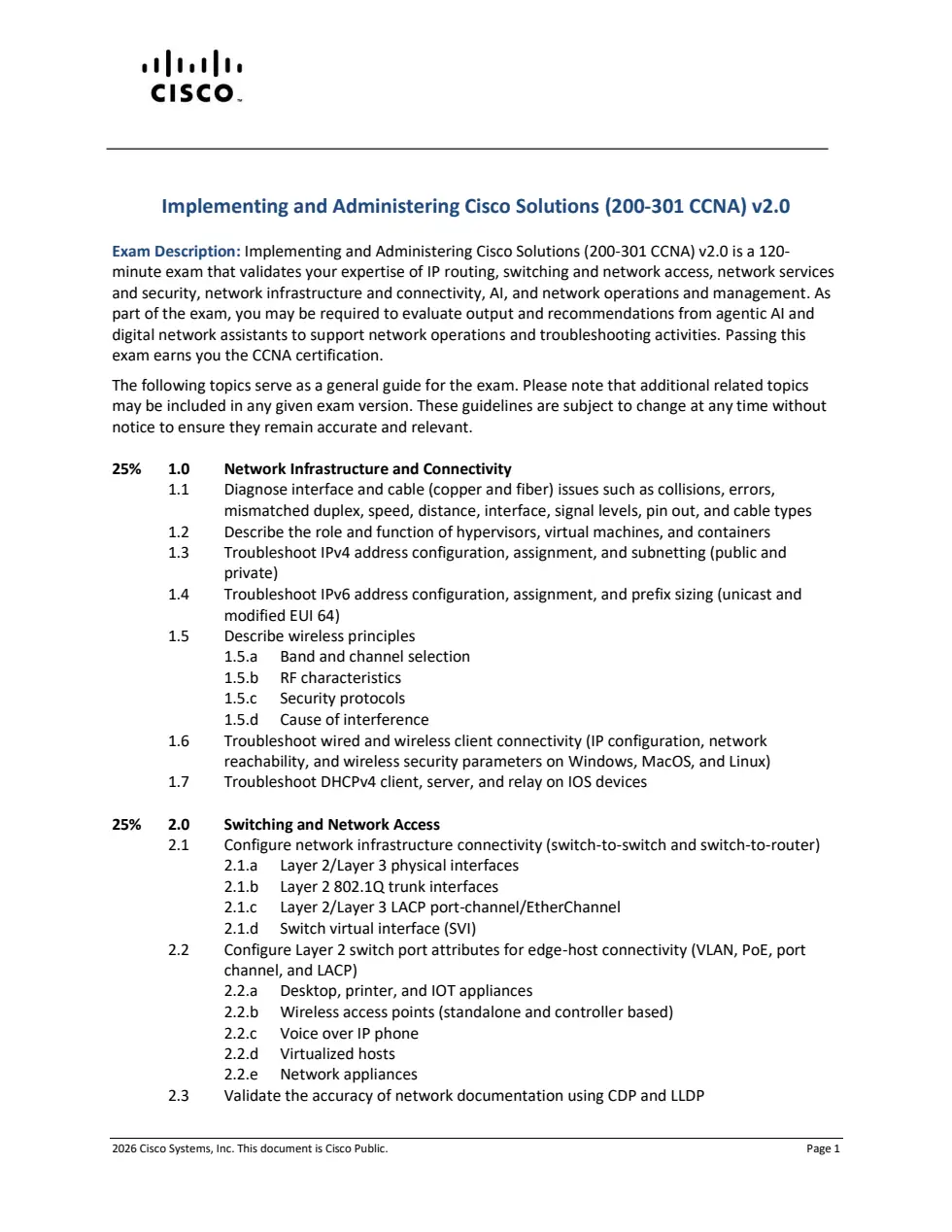
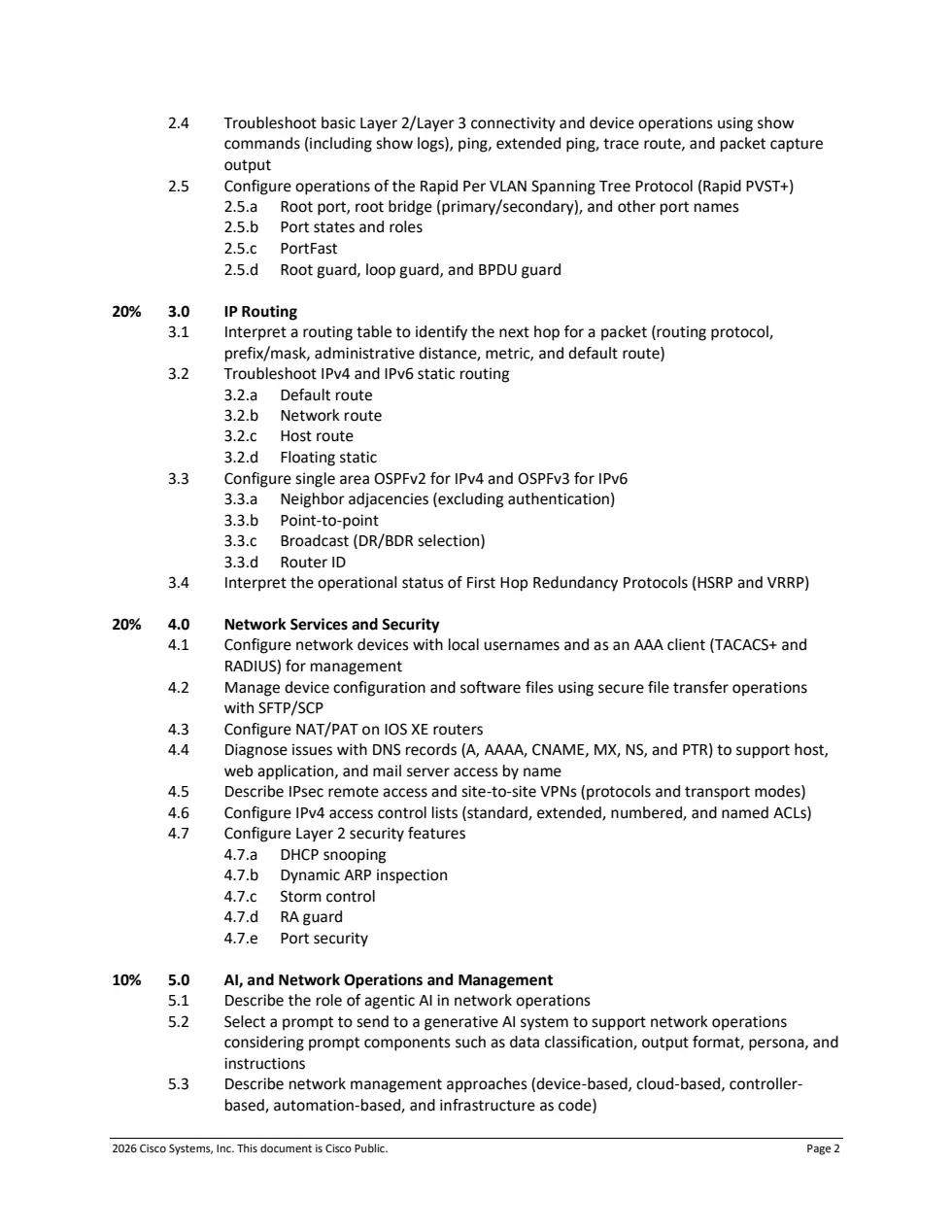
Cisco has reorganized CCNA 200-301 v2.0 around five practical domains. This guide translates every official objective into plain language, shows what to configure or troubleshoot, and gives you a focused plan for the exam beginning February 3, 2027.
CCNA v2.0 at a Glance
Transition note: Cisco states that the first v2.0 test date is February 3, 2027. If you test before then, confirm the version during registration and use the matching blueprint.
Question formats can include multiple choice, drag-and-drop and performance-based tasks. Pricing and policies can change, so verify them before booking.
CCNA 200-301 v2.0 Domains and Weightage
Half of the blueprint is concentrated in infrastructure/connectivity and switching/network access, so cabling, addressing, clients, VLANs and Layer 2 troubleshooting deserve substantial lab time.
| Domain | Weight | Easy explanation |
|---|---|---|
| 1. Network Infrastructure and Connectivity | 25% | Find physical, addressing, wireless, client and DHCP problems. |
| 2. Switching and Network Access | 25% | Build and troubleshoot VLAN, trunk, EtherChannel, SVI and Rapid PVST+ connectivity. |
| 3. IP Routing | 20% | Read routing tables and operate static routes, OSPFv2, OSPFv3, HSRP and VRRP. |
| 4. Network Services and Security | 20% | Configure AAA, secure transfers, NAT/PAT, DNS, ACLs and Layer 2 protection. |
| 5. AI, and Network Operations and Management | 10% | Use AI responsibly and understand management models, SNMP, Ansible and syslog. |
Read the verbs: describe means explain; interpret means read output; configure means practice commands; diagnose and troubleshoot mean identify and correct faults.
1. Network Infrastructure and Connectivity - 25%
This domain combines physical networking, IP addressing, virtualization, wireless, clients and DHCP.
- 1.1: Diagnose copper/fiber collisions, errors, duplex or speed mismatch, distance, interface and signal levels, pinouts and cable types.
- 1.2: Describe hypervisors, virtual machines and containers.
- 1.3: Troubleshoot public/private IPv4 configuration, assignment and subnetting.
- 1.4: Troubleshoot IPv6 unicast addressing, assignment, prefix sizing and modified EUI-64.
- 1.5: Describe wireless bands/channels, RF characteristics, security protocols and interference.
- 1.6: Troubleshoot IP settings, reachability and wireless security on Windows, macOS and Linux.
- 1.7: Troubleshoot DHCPv4 clients, servers and relays on IOS.
Practice: break a client's mask, gateway, VLAN, Wi-Fi security and DHCP relay one at a time. Use interface counters, client commands, ping and captures to prove the fault.
2. Switching and Network Access - 25%
This is the campus LAN domain: connect switches, routers, APs, phones, virtual hosts and appliances while preventing loops.
- 2.1: Configure Layer 2/Layer 3 physical links, 802.1Q trunks, Layer 2/Layer 3 LACP port-channels and SVIs.
- 2.2: Configure VLAN, PoE, port-channel and LACP for desktops, printers, IoT, APs, VoIP phones, virtual hosts and appliances.
- 2.3: Validate documentation with CDP and LLDP.
- 2.4: Troubleshoot with show commands/logs, ping, extended ping, traceroute and packet captures.
- 2.5: Configure Rapid PVST+ root bridges/ports, states/roles, PortFast, Root Guard, Loop Guard and BPDU Guard.
Practice: build user, voice and management VLANs across two switches and a router. Add LACP, an SVI and STP protections, then repair intentional faults.
3. IP Routing - 20%
Predict a packet's path and repair it when the destination is unreachable.
- 3.1: Find the next hop from route source, prefix/mask, administrative distance, metric and default route.
- 3.2: Troubleshoot IPv4/IPv6 default, network, host and floating static routes.
- 3.3: Configure single-area OSPFv2 for IPv4 and OSPFv3 for IPv6: adjacencies, point-to-point, broadcast DR/BDR selection and router IDs. Authentication is excluded.
- 3.4: Interpret HSRP and VRRP status.
Practice: build a three-router dual-stack topology, configure static routes, replace them with OSPFv2/OSPFv3 and fix deliberate next-hop, area or neighbor errors.
4. Network Services and Security - 20%
Operate essential services and protect management access, traffic and Layer 2 infrastructure.
- 4.1: Configure local usernames and a device as a TACACS+ or RADIUS AAA client.
- 4.2: Manage configuration and software files with SFTP/SCP.
- 4.3: Configure NAT/PAT on IOS XE.
- 4.4: Diagnose A, AAAA, CNAME, MX, NS and PTR issues affecting host, web and email access.
- 4.5: Describe IPsec remote-access and site-to-site VPN protocols and transport modes.
- 4.6: Configure standard/extended and numbered/named IPv4 ACLs.
- 4.7: Configure DHCP snooping, Dynamic ARP Inspection, storm control, RA Guard and port security.
Practice: configure AAA, copy a file with SCP, build PAT and named ACLs, then protect access ports.
5. AI, and Network Operations and Management - 10%
The goal is to use AI output carefully, choose effective prompts and understand common management mechanisms.
- 5.1: Describe agentic AI in network operations.
- 5.2: Select prompts using data classification, output format, persona and instructions.
- 5.3: Describe device-, cloud-, controller-, automation- and Infrastructure as Code-based management.
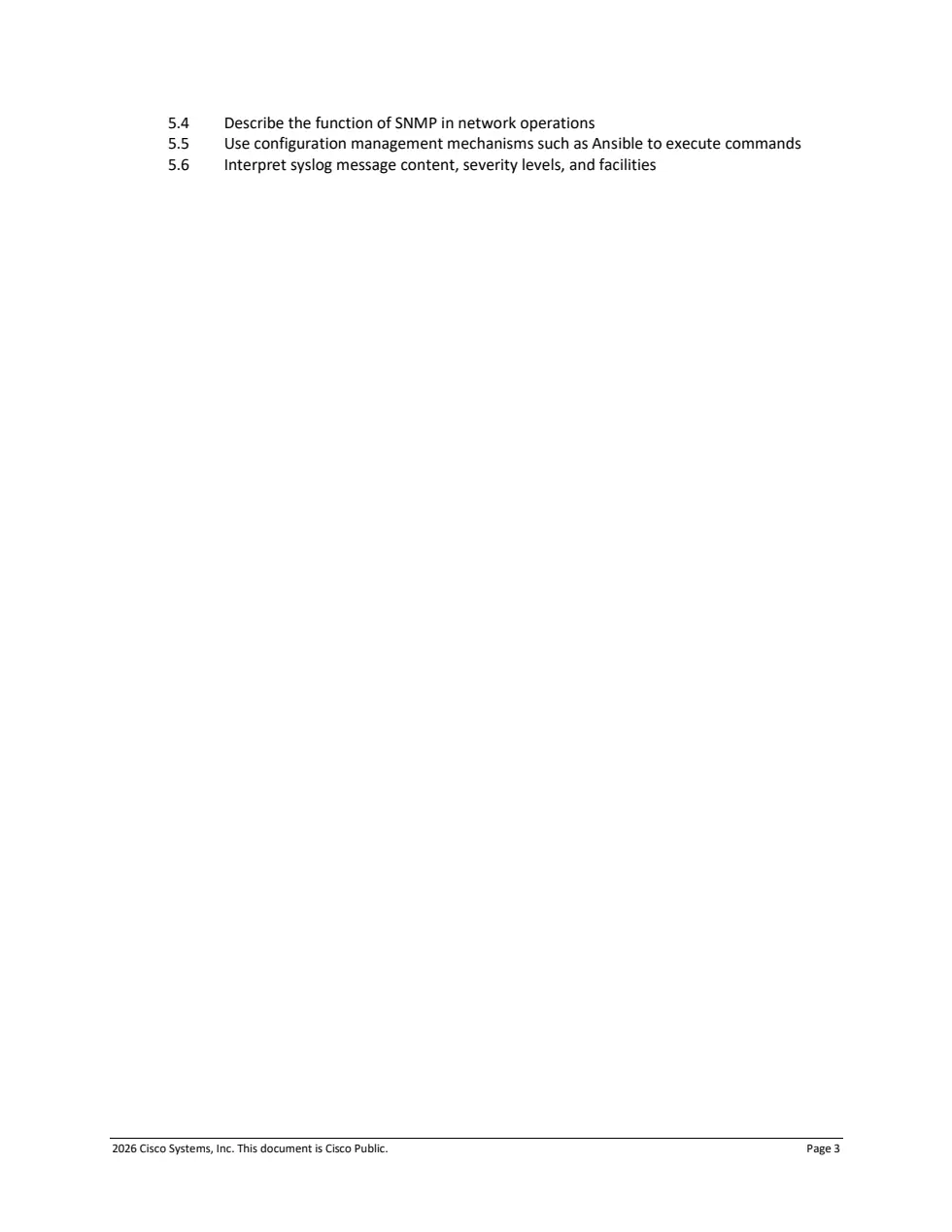
- 5.4: Describe SNMP's role in operations.
- 5.5: Use mechanisms such as Ansible to execute commands.
- 5.6: Interpret syslog content, severity levels and facilities.
AI safety: never paste secrets or sensitive production data into an unapproved AI system. Validate recommendations against device state, documentation and change-control rules.
12-Week CCNA v2.0 Study Plan
| Weeks | Focus | Practical result |
|---|---|---|
| 1-3 | Cabling, IPv4/IPv6, virtualization, wireless, clients and DHCP | Diagnose link, address and endpoint faults. |
| 4-6 | VLANs, trunks, SVIs, LACP, CDP/LLDP and Rapid PVST+ | Build and troubleshoot a protected LAN. |
| 7-8 | Routing tables, static routes, OSPFv2/v3, HSRP and VRRP | Predict and repair dual-stack paths. |
| 9-10 | AAA, SCP/SFTP, NAT/PAT, DNS, VPNs, ACLs and Layer 2 security | Configure services and defenses. |
| 11 | Agentic AI, prompts, management, SNMP, Ansible and syslog | Interpret operations data safely. |
| 12 | Timed practice and weak-topic repair | Complete labs from memory. |
For every objective, track know, do and verify. You are ready only when you can explain the topic, perform the task and prove the result.
Free practice: use the practice tests, networking labs, Subnet Calculator and Cisco IOS command reference.
CCNA 200-301 v2.0 FAQs
When does CCNA v2.0 begin?
February 3, 2027 is the first test date listed by Cisco.
How many domains are there?
Five: two at 25%, two at 20% and one at 10%.
Is AI included?
Yes. Candidates study agentic AI, generative AI prompts and how to evaluate AI output for operations.
Are OSPFv2 and OSPFv3 included?
Yes, both in a single area.
Is subnetting still required?
Yes. IPv4 subnetting and IPv6 prefix sizing are explicit objectives.
How long should I study?
Many beginners use three to six months, but measure readiness by hands-on results.
Official CCNA 200-301 v2.0 PDF Blueprint
Use Cisco's document as your final checklist because topics can change without notice. This guide explains the objectives; it does not replace the official wording.
View Official Cisco CCNA v2.0 Exam Topics PDF