LLDP Protocol: Cisco Configuration, TLVs and CDP Comparison
LLDP is the standards-based way for directly connected routers, switches, access points, phones, and other devices to advertise who they are and which ports connect them.
Neighbor Discovery Learning Path
Learn the Cisco-specific and open-standard protocols used to identify directly connected network devices.
In This Lesson
Use LLDP to build a vendor-neutral view of directly connected devices. The lesson connects TLVs, configuration, verification, LLDP-MED, and troubleshooting.
Quick Learning Map
Keep these three decisions in view as you work through the detailed lesson.
Enable advertisements
Allow devices to transmit and receive LLDP on the intended interfaces.
Read the TLVs
Interpret identity, port, capability, management, and optional media details.
Validate the topology
Compare learned neighbors with cabling plans and operational expectations.
LLDP Protocol: Cisco Configuration, TLVs and CDP Comparison at a Glance
Use this summary to establish the big picture before moving into commands, examples, and troubleshooting.
Standard
LLDP is IEEE 802.1AB and works across vendors.
Information unit
TLVs carry chassis, port, system, management, and capability data.
Extension
LLDP-MED adds information useful to phones and other media endpoints.
What is LLDP?
Link Layer Discovery Protocol (LLDP) is the vendor-neutral IEEE 802.1AB protocol that directly connected devices use to advertise identity, interface, capability and management information. LLDP does not discover devices beyond the local Layer 2 link and does not configure or route traffic.
What is Link Layer Discovery Protocol?
Link Layer Discovery Protocol (LLDP) is an IEEE 802.1AB Layer 2 protocol that allows a device to advertise information to its directly connected neighbors. Unlike Cisco-proprietary CDP, LLDP is designed for multivendor interoperability.
LLDP advertisements are link-local and are not routed. A switch stores received information in its LLDP neighbor table until the advertised time-to-live expires. Because the protocol works at Layer 2, discovery can operate even when the connected ports do not yet have working IP connectivity.
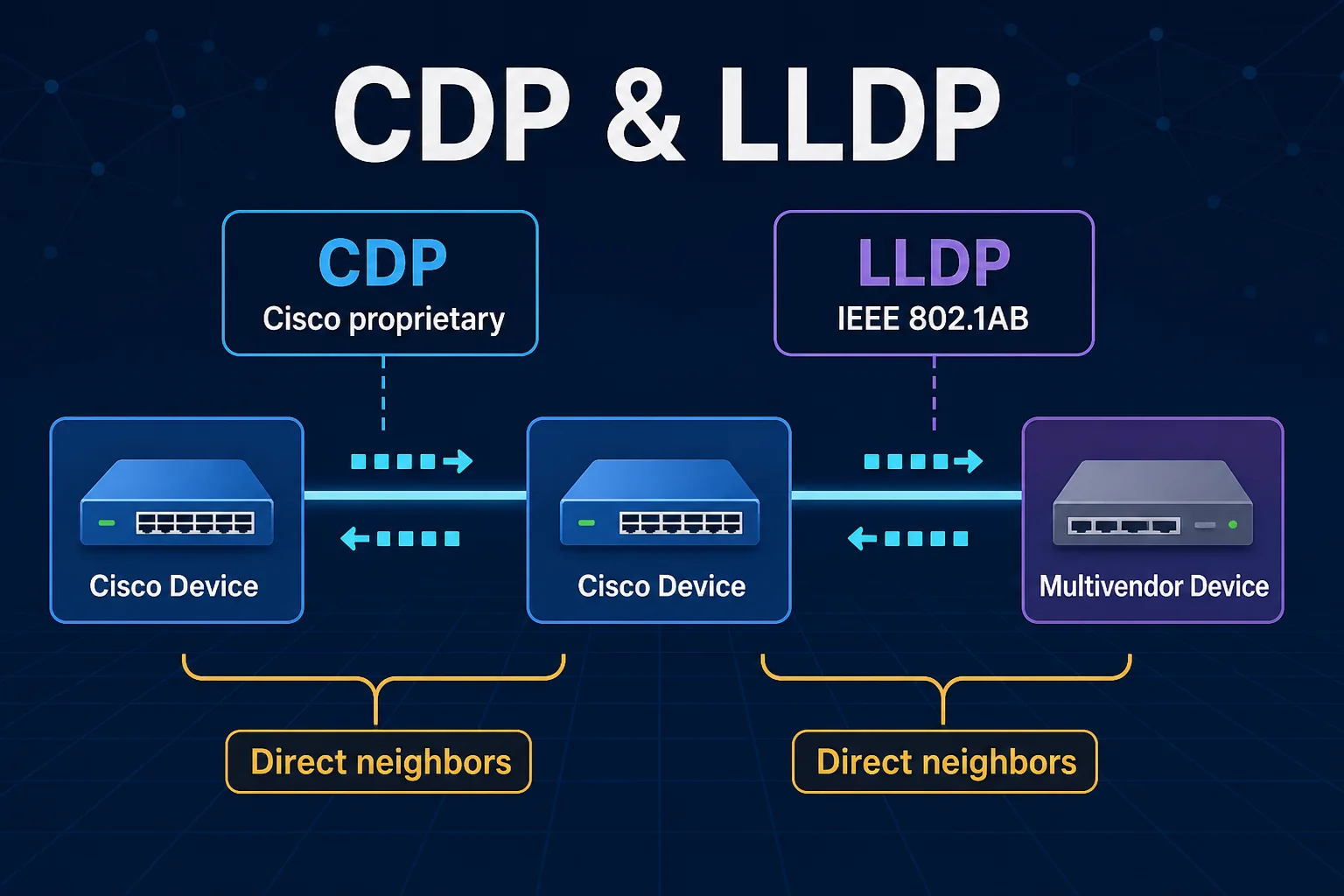
IEEE standard
Cisco, Juniper, Aruba, Extreme, Linux, IP phones, access points, and many other platforms can exchange a common discovery format.
Direct-neighbor scope
LLDP describes the device and port at the other end of a link. It is not a routing protocol and does not discover remote hops.
How LLDP TLVs work
LLDP carries information in Type-Length-Value (TLV) fields. The type identifies the field, the length states how many bytes it uses, and the value contains the actual advertised information.
- Port Description: a human-readable interface description.
- System Name: the hostname or configured system identity.
- System Description: platform and software information.
- System Capabilities: router, bridge, telephone, WLAN access point, station, and other advertised roles.
- Management Address: an address a management system may use to reach the device.
LLDP topology example
Two Catalyst switches are connected through FastEthernet0/24. Once LLDP is enabled, each switch can identify the other side without relying on matching interface descriptions or an existing topology diagram.
Configure LLDP on Cisco IOS
The LLDP default varies across Cisco platforms and software releases. Verify the device rather than assuming it is enabled or disabled. When required, enable the global LLDP process:
SW1(config)# lldp run
SW2(config)# lldp run
Control transmission and reception per interface
SW1(config)# interface FastEthernet0/24
SW1(config-if)# lldp transmit
SW1(config-if)# lldp receive
Use no lldp transmit or no lldp receive when a design requires one direction to be suppressed. Use no lldp run to disable the protocol globally.
Verify LLDP neighbors
SW1# show lldp neighbors
Device ID    Local Intf   Hold-time   Capability   Port ID
SW2          Fa0/24       120         B            Fa0/24

Total entries displayed: 1
The summary view provides the neighbor identity, local interface, remaining holdtime, capability, and remote port. Use the detailed command when you need more context:
SW1# show lldp neighbors detail
Chassis id: 0011.bb0b.361a
Port id: Fa0/24
Port Description: FastEthernet0/24
System Name: SW2.example.net
System Capabilities: B,R
Enabled Capabilities: B
Time remaining: 106 seconds
show lldp
Confirm global status, timers, and protocol operation.
show lldp interface
Check transmit and receive state on individual ports.
show lldp neighbors
List directly connected neighbors in a compact table.
show lldp neighbors detail
Inspect TLVs, descriptions, capabilities, and management data.
Advertise an interface description
One practical LLDP advantage is that the local interface description can appear as the neighbor's Port Description TLV.
SW1(config)# interface FastEthernet0/24
SW1(config-if)# description LINK_SW1_SW2
After the next advertisement, SW2 can display LINK_SW1_SW2 in its detailed neighbor output. This gives an engineer a quick way to compare the intended cable purpose with the observed neighbor.
What is LLDP-MED?
LLDP Media Endpoint Discovery (LLDP-MED) extends LLDP for devices such as IP phones and other media endpoints. Depending on device support and policy, LLDP-MED can advertise:
- Network policy and voice VLAN information
- Power over Ethernet requirements and allocation
- Endpoint device type and capabilities
- Location identification for emergency services
- Hardware, firmware, and software inventory details
LLDP security guidance
Like CDP, LLDP can reveal useful reconnaissance data: device names, descriptions, interface identifiers, software details, capabilities, management addresses, and network policies. Use it intentionally.
- Enable LLDP only where discovery or endpoint policy requires it.
- Disable transmission toward untrusted devices when advertisements provide no operational benefit.
- Restrict management-plane access independently; an advertised address is not an access-control mechanism.
- Monitor unexpected neighbor changes on important uplinks and endpoint ports.
- Do not treat LLDP data as authenticated proof of device identity.
CDP vs LLDP: which should you use?
| Decision | Choose CDP when | Choose LLDP when |
|---|---|---|
| Vendor environment | The network is Cisco-centric and Cisco-specific discovery features matter. | The network contains devices from multiple vendors. |
| Standard requirement | A proprietary Cisco protocol is acceptable. | An IEEE-standard discovery method is required. |
| Media endpoints | Cisco endpoint integration is already designed around CDP. | LLDP-MED provides the required voice, power, or location policy. |
| Migration | Existing automation and operations depend on CDP fields. | A neutral common discovery layer reduces vendor dependency. |
Some networks run both during migrations or to support different endpoint types. If you do, account for duplicate neighbor records and document which protocol is authoritative for automation.
Previous: Cisco Discovery ProtocolLink Layer Discovery Protocol (LLDP) Frequently Asked Questions
Is LLDP the same as CDP?
No. They solve a similar directly connected neighbor-discovery problem, but LLDP is an IEEE standard and CDP is Cisco proprietary.
Is LLDP enabled by default?
It depends on the vendor, model, and software release. Confirm the running state rather than relying on a general default.
Can LLDP assign a VLAN?
Base LLDP describes neighbors. LLDP-MED network-policy extensions can advertise voice VLAN and related policy to supported endpoints.
Does LLDP cross a router?
No. LLDP frames are link-local and are not forwarded across routed hops.
What happens when LLDP messages stop?
The neighbor entry remains until its advertised time-to-live expires, then it is removed unless a new advertisement refreshes it.