Cisco CDP Commands and Discovery Protocol Explained
CDP helps you identify directly connected Cisco devices, match interfaces on both ends of a link, collect management details, and build an accurate network map from the command line.
Neighbor Discovery Learning Path
Learn the Cisco-specific and open-standard protocols used to identify directly connected network devices.
In This Lesson
Use CDP output as evidence, not decoration. Learn how to identify neighbors, trace cabling, verify advertised details, and decide where discovery should be limited.
Quick Learning Map
Keep these three decisions in view as you work through the detailed lesson.
Collect neighbor facts
Read device ID, local port, remote port, platform, and capabilities.
Build the physical map
Connect matching interfaces and confirm the expected topology.
Control exposure
Disable CDP where neighbor details should not leave a trusted boundary.
Cisco CDP Commands and Discovery Protocol Explained at a Glance
Use this summary to establish the big picture before moving into commands, examples, and troubleshooting.
Scope
CDP discovers directly connected Cisco neighbors at Layer 2.
Operational value
It helps map links, verify cabling, and find unexpected devices.
Security note
Advertisements reveal useful device and interface details.
What is Cisco Discovery Protocol?
Cisco Discovery Protocol (CDP) is a Cisco-proprietary, link-local discovery protocol. Cisco routers, switches, wireless controllers, IP phones, and other supported devices use it to advertise useful identity and connection information to devices on the same physical link.
CDP operates at the data-link layer and does not require an IP address on the connected interface. Its advertisements are not routed, so a device learns only about directly connected neighbors. CDP is enabled by default on many Cisco IOS and IOS XE platforms, but the operational default should always be verified on the actual device and software release.
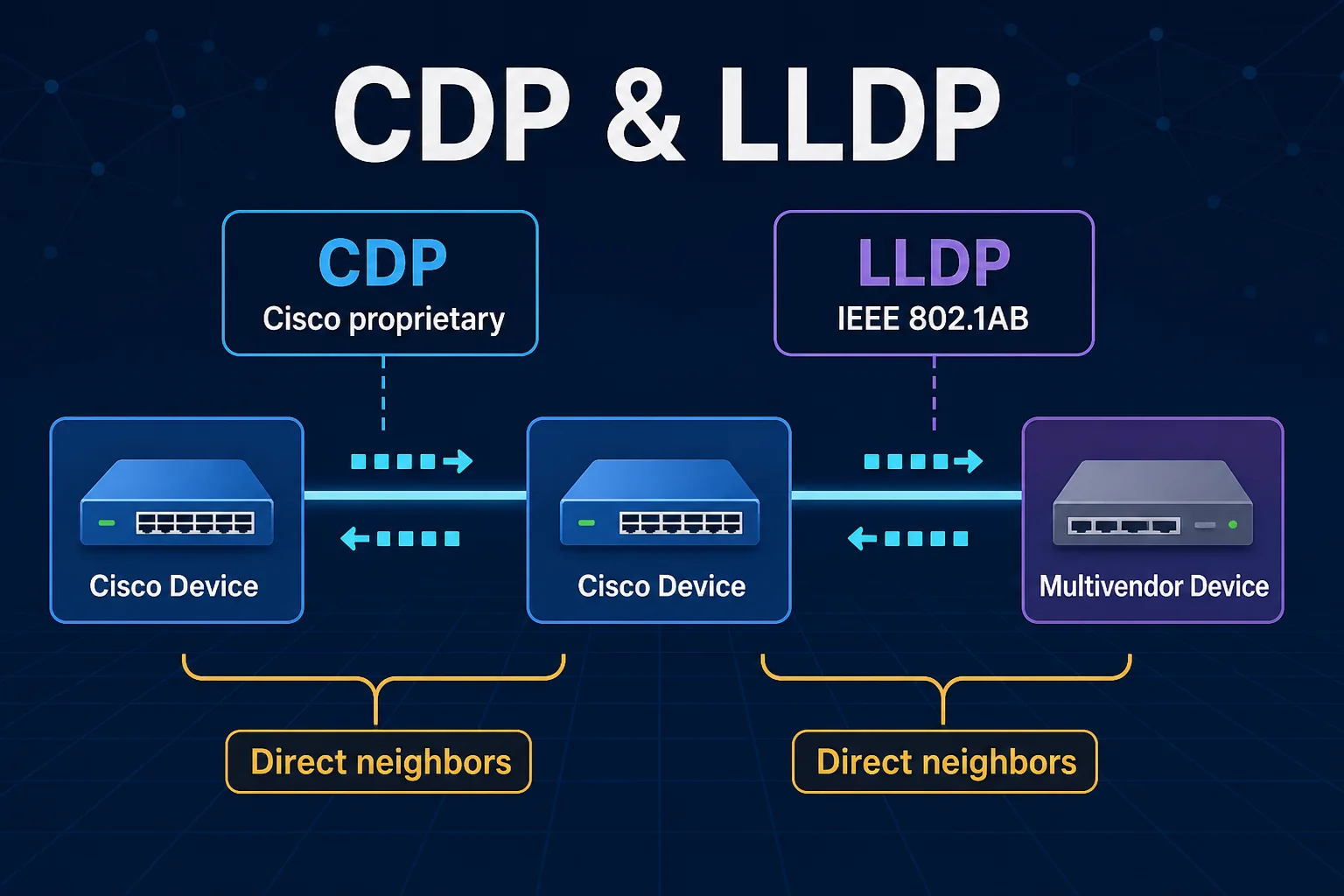
What CDP reveals
Device ID, local interface, neighbor port, platform, capabilities, holdtime, management address, and software details.
Why engineers use it
Topology discovery, cabling verification, inventory checks, IP-phone support, and faster troubleshooting when documentation is incomplete.
Build a network map with CDP
Suppose R1, R2, and R3 are connected in a line. Querying each router reveals the neighbor name and both interfaces, giving you enough information to reconstruct the physical map.
R1# show cdp neighbors
Device ID   Local Intrfce   Holdtme   Capability   Platform   Port ID
R2          Ser 0/0         167       R S I        3640       Ser 0/0
Read the row from left to right: R1 sees device R2 through its local Serial0/0 interface; the connected port on R2 is also Serial0/0. The capability codes indicate the functions the neighbor advertises.
Essential CDP commands
show cdp neighbors
Use the summary view for device names, local ports, holdtimes, capabilities, platforms, and neighbor port IDs.
show cdp neighbors detail
Use the detailed view for management IP addresses, software versions, full platform information, and other advertised fields.
show cdp interface
Confirm which interfaces participate in CDP and review advertisement and holdtime information.
show cdp entry *
Inspect CDP database entries. Platform syntax and available fields can vary by IOS release.
R1# show cdp neighbors detail
Device ID: R2
Entry address(es):
  IP address: 192.168.12.2
Platform: Cisco 3640, Capabilities: Router Switch IGMP
Interface: Serial0/0, Port ID (outgoing port): Serial0/0
Holdtime: 136 sec
Version: Cisco IOS Software, Version 12.4(16)
The management address is especially helpful when you need to connect to a newly discovered device. The software and platform fields are useful for inventory, but they also explain why CDP exposure must be controlled.
How CDP advertisements and holdtime work
Common Cisco defaults are a 60-second advertisement interval and a 180-second holdtime, although platform and configuration differences are possible. Verify the actual values with show cdp instead of treating defaults as universal.
CDP security and exposure
Detailed CDP output can disclose hostnames, device models, management addresses, native VLAN information, and operating-system versions. That data is valuable to administrators and equally useful to an attacker performing reconnaissance.
Disable CDP on one interface
R1(config)# interface Serial0/0
R1(config-if)# no cdp enable
Disable CDP globally
R1(config)# no cdp run
Use cdp run to enable the protocol globally and cdp enable on an interface when the global process is active. After any change, confirm the intended scope with show commands rather than assuming the running state.
Why a CDP neighbor might be missing
- CDP is disabled globally on one of the devices.
- CDP is disabled on either interface with
no cdp enable. - The physical link or interface is down.
- The connected device does not support CDP or is not a Cisco device.
- A voice, trunk, or virtualized topology is different from the assumed cabling.
- The entry has aged out because advertisements stopped.
show cdp, inspect show cdp interface, query show cdp neighbors detail, and compare both ends of the physical link.CDP vs LLDP
| Feature | CDP | LLDP |
|---|---|---|
| Ownership | Cisco proprietary | IEEE 802.1AB standard |
| Vendor support | Primarily Cisco ecosystems | Designed for multivendor networks |
| Scope | Directly connected neighbors | Directly connected neighbors |
| Endpoint extension | Cisco-specific voice and device features | LLDP-MED for phones and media endpoints |
Continue with the LLDP lesson to learn the standards-based discovery workflow and its Type-Length-Value fields.
Next: Link Layer Discovery ProtocolCisco Discovery Protocol (CDP) Frequently Asked Questions
Is CDP enabled by default?
It is enabled by default on many Cisco platforms, but defaults vary. Check show cdp and the running configuration on the actual device.
Can CDP discover devices several hops away?
No. CDP is link-local. It discovers directly connected participating neighbors and its advertisements are not routed.
Does CDP need an IP address?
No. CDP operates at Layer 2. A management IP can be advertised, but CDP neighbor discovery itself does not depend on IP connectivity.
Should CDP be disabled everywhere?
Not automatically. It is operationally valuable. Limit it at untrusted boundaries and retain it on trusted links where discovery or device features require it.
Can CDP and LLDP run together?
Many Cisco platforms can run both, although that can produce two neighbor entries for the same device. Use the protocol set that matches the network design and management requirements.