EIGRP Configuration and Troubleshooting Guide for Cisco Networks
Enhanced Interior Gateway Routing Protocol (EIGRP) is a fast-converging Cisco routing protocol built around neighbor relationships, composite metrics, and DUAL. This guide covers practical configuration and troubleshooting for labs and enterprise networks.
In This Lesson
Configure and troubleshoot EIGRP from neighbor formation through DUAL route selection and safe change control. Both classic and named modes are tied to verification evidence.
Quick Learning Map
Keep this three-step view in mind as you work through the detailed lesson.
Form adjacencies
Match autonomous system, addressing, K-values, authentication, and interface state.
Select loop-free paths
Understand metrics, successors, feasible successors, summaries, and stubs.
Troubleshoot methodically
Check neighbors, topology, routes, queries, and the forwarding table in order.
EIGRP Configuration and Troubleshooting Guide for Cisco Networks at a Glance
Use this summary before moving into the detailed explanations, examples, commands, and checks.
Core focus
Configure and troubleshoot EIGRP from neighbor formation through DUAL route selection and safe change control.
Key connection
Form adjacencies → Select loop-free paths → Troubleshoot methodically
Practical outcome
Both classic and named modes are tied to verification evidence.
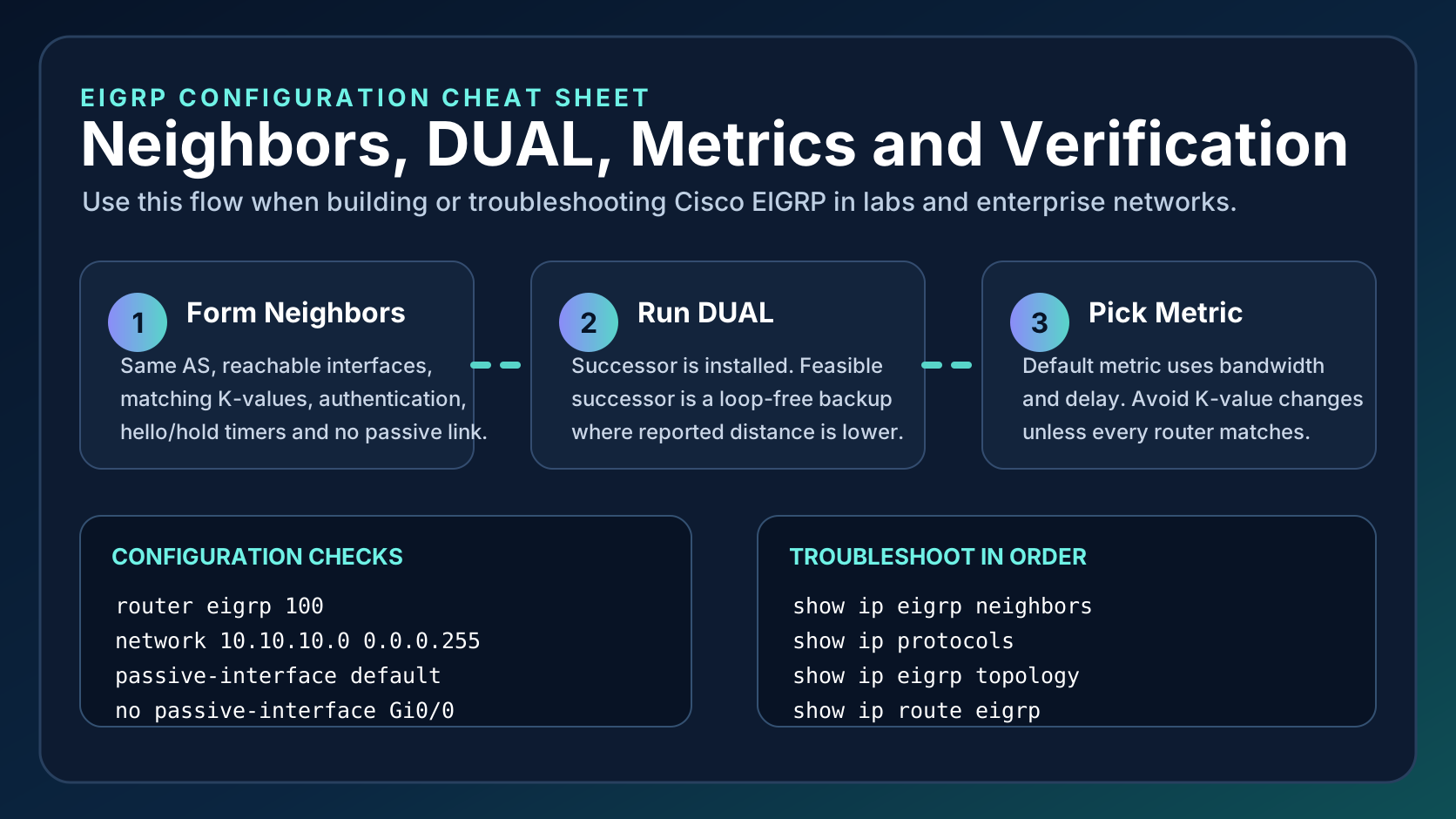
1. What EIGRP Does
EIGRP forms neighbors, exchanges topology information, calculates loop-free paths with DUAL, and installs the successor route in the routing table.
The topology table can retain multiple learned paths even though only the best successor is installed for forwarding. A neighbor's reported distance must be lower than the local feasible distance to qualify as a feasible successor. That feasibility condition gives DUAL a loop-free backup it can install quickly when the current successor fails.
2. Classic EIGRP Configuration
Classic mode is common in labs and older networks. Use matching autonomous system numbers and precise wildcard masks.
- router eigrp 100
- network 10.10.10.0 0.0.0.255
- passive-interface default
- no passive-interface GigabitEthernet0/0
The network statement selects local interfaces; it does not directly list a route to advertise. Connected prefixes on selected interfaces enter EIGRP, while passive interface prevents hellos on endpoint-facing links without suppressing the connected network. Verify the actual participants with show ip eigrp interfaces detail.
3. Named Mode Configuration
Named mode groups IPv4, IPv6, interface, and topology settings under one process, which is cleaner for modern Cisco deployments.
- router eigrp NETEST
- address-family ipv4 unicast autonomous-system 100
- af-interface default
- passive-interface
Named mode places address-family, interface, and topology controls in a hierarchy. Use af-interface for hello, authentication, summary, and passive settings, and topology base for redistribution and distance controls. The process name is locally significant; the autonomous-system value still needs to match between classic IPv4 neighbors.
4. Metrics, Summaries, and Stubs
EIGRP normally uses bandwidth and delay in its metric. Summaries and stubs reduce query scope and make branch designs more stable.
- Summarize on clean address boundaries.
- Use EIGRP stub at branch routers.
- Avoid changing K-values unless every router matches.
- Verify metrics before forcing manual changes.
Summaries create a stable boundary and can hide changes to component routes, but a careless summary can also attract traffic for unreachable subnets. Stub routing tells upstream neighbors not to query a branch for routes it should not transit. Confirm which connected, static, summary, or redistributed routes the stub is permitted to advertise.
EIGRP Configuration and Troubleshooting Guide for: 5. Troubleshooting Workflow
Start with neighbors, then topology, then route installation. Most failures are caused by AS mismatch, passive interfaces, authentication, filtering, or reachability.
- show ip eigrp neighbors
- show ip protocols
- show ip eigrp topology
- show ip route eigrp
A missing neighbor is an interface, reachability, AS, K-value, or authentication problem. A stable neighbor with a missing topology entry points toward origination or filtering. A topology entry missing from the routing table may have an invalid successor or lose to another route source. Diagnose the failing stage before resetting the adjacency.
EIGRP Configuration and Troubleshooting Guide for: Frequently Asked Questions
Is EIGRP distance vector or link state?
EIGRP is an advanced distance-vector protocol that uses DUAL for loop-free convergence.
What is a feasible successor?
A feasible successor is a prequalified loop-free backup route.
What is EIGRP administrative distance?
Internal EIGRP uses 90 and external EIGRP uses 170 on Cisco routers.
Convergence and change safety
A route becoming Active means DUAL is asking neighbors for an alternate path; it is not automatically a fault. A stuck-in-active event means a required reply did not arrive in time. Limit query scope with sound summarization and stubs, monitor neighbor queue and retransmission values, and avoid broad debugging or hard neighbor clears on busy routers without an approved maintenance plan.